
The Free Options
1. CueNotch Free
CueNotch includes a paid Pro tier at $7.99/week or $29.99 lifetime access in the U.S. App Store, plus a free tier that's genuinely useful, not a crippled demo. Local App Store pricing may vary. You get 3 teleprompter activations per day with scripts up to 100 words. That's enough for short video intros, quick sales pitches, or meeting talking points.
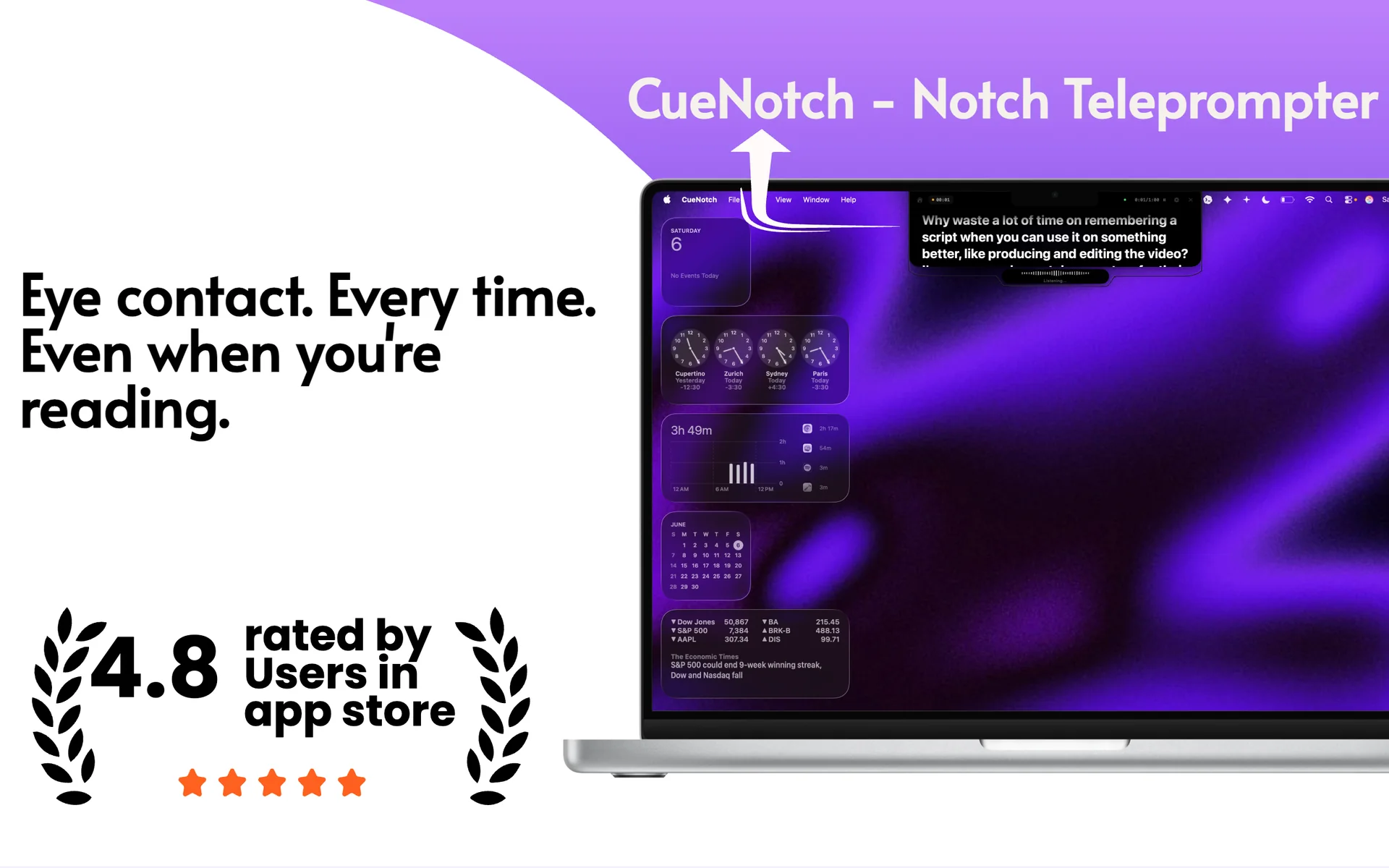
The free tier includes voice-synced scrolling, which is a standout feature. Instead of manually controlling the scroll speed, CueNotch listens to your speech and advances the text in real time. If you pause, the script pauses. If you speed up, it keeps pace. Most free alternatives don't offer this.
CueNotch displays your script in the MacBook notch, right next to the FaceTime camera, so you get natural eye contact while reading. It's available on the Mac App Store, which means it installs through Apple's standard app distribution flow.
The free tier does not include Ghost Mode (invisible during screen sharing) or AI features: those require Pro. But for basic teleprompter use without screen sharing, the free tier works well and never expires.
2. NotchPrompter
NotchPrompter is a fully free, open-source teleprompter available on GitHub. It uses the MacBook notch area to display scrolling text near the camera, giving you the same eye-contact benefit as paid apps.
It's a solid basic teleprompter. You paste your script, set a scroll speed, and it runs. However, there are a few things to be aware of: it uses manual scrolling only (no voice sync), so you need to set your speed in advance and hope your pace matches. It also doesn't have Ghost Mode, meaning the overlay will appear in Loom recordings, Zoom screen shares, and any other screen capture. Since it's distributed through GitHub and not the Mac App Store, installation is a more manual workflow.
If you want a completely free teleprompter with no daily limits and no word count restrictions, NotchPrompter is a reasonable choice for situations where you're not sharing your screen.
3. NotchPrompt
NotchPrompt is another free, open-source option. It takes a minimal approach: basic auto-scroll in the notch area with a straightforward interface. There's no voice sync, no Ghost Mode, and fewer customization options than the other apps on this list.
If you want the simplest possible teleprompter and don't need advanced features, NotchPrompt does the job. Like NotchPrompter, it is a more manual install than an App Store app.
4. Textream
Textream is a newer free, open-source project that uses a Dynamic Island-style presentation for the teleprompter text. It's an interesting visual approach, but it requires macOS 15 (Sequoia) or later, which limits who can use it.
As a newer project, it has fewer features and a smaller community than the other options. No voice sync, no Ghost Mode, and not code-signed. Worth keeping an eye on if you're running Sequoia and like the Dynamic Island aesthetic.
Side-by-Side Comparison
| Feature | CueNotch Free | NotchPrompter | NotchPrompt | Textream |
|---|---|---|---|---|
| Price | Free | Free | Free | Free |
| Voice Scrolling | ✓ | ✗ | ✗ | ✗ |
| Ghost Mode | Pro only | ✗ | ✗ | ✗ |
| App Store | ✓ | ✗ | ✗ | ✗ |
| Code Signed | ✓ | ✗ | ✗ | ✗ |
| Script Limit | 100 words | None | None | None |
| Daily Limit | 3 activations | None | None | None |
| macOS Requirement | 14+ | 13+ | 13+ | 15+ |
Which One Should You Pick?
If you want the most capable free option and don't mind the 3-activation daily limit, CueNotch Free is the strongest choice. Voice-synced scrolling alone makes a significant difference in usability. You focus on speaking instead of managing scroll speed. It also installs through the Mac App Store.
If you need unlimited usage and don't care about voice sync or screen-sharing invisibility, NotchPrompter gives you an unrestricted free teleprompter. It's open source, well-maintained, and gets the basic job done.
NotchPrompt and Textream are worth trying if you want something minimal or if you're specifically on macOS 15 and like Textream's Dynamic Island approach. Both are functional but have fewer features.
If all you need is a full-screen autocue in a browser, CuePrompter is free as well; here is how it compares on a Mac call.
When It's Worth Upgrading
The free options work well for casual use, but there are clear scenarios where CueNotch Pro makes sense:
- You share your screen on calls. Ghost Mode keeps your teleprompter invisible during screen sharing on Zoom, Teams, Meet, Loom, and OBS. No free app in this list offers this.
- You use long scripts. The 100-word limit on CueNotch Free works for bullet points, but full presentations or detailed sales scripts need unlimited word count.
- You present more than 3 times a day. Heavy users will hit the free tier's daily activation limit.
- You want AI features. CueNotch Pro includes an AI script humanizer that makes robotic-sounding text conversational: useful if you're working from ChatGPT output or meeting notes.
CueNotch Pro is $7.99/week or $29.99 lifetime access in the U.S. App Store, so it's a reasonable investment if you present regularly. Local App Store pricing may vary. But start with the free tier and see if it fits your workflow first. For a deeper look at CueNotch Pro vs the competition, see our CueNotch vs Moody comparison or the full roundup of all 5 notch teleprompter apps.
Frequently asked questions
- Is CueNotch free forever or only a trial?
- Both exist. The free tier does not expire: 3 activations a day and 100-word scripts. The 3-day Pro trial is separate and does not auto-renew. Ghost Mode is Pro.
- What can you do on the CueNotch free tier?
- Voice-synced scrolling, hotkeys, and the editor, with scripts up to 100 words and 3 activations a day. That is enough for a short intro or a handful of talking points. Screen-share privacy needs Pro.
Start free. Look at the lens.
Start with CueNotch Free- macOS 14+
- Free forever, no credit card
- $7.99/week or $29.99 lifetime access