In 2026, there are five apps competing in this space: CueNotch, Moody, Notchie, NotchPrompter, and Textream. Here's how they compare.
Sources: Moody, Notchie, NotchPrompter, Textream, and CueNotch.
Short answer
CueNotch is the broadest all-in-one option; Moody is a focused $39 paid prompter; Notchie is a simple $29.99 App Store option; NotchPrompter and Textream are the strongest free, open-source alternatives.
The comparison table, scored
Eleven features, five apps, fifty-five cells, and the first thing a reader learns by scanning them one at a time is the least useful fact available: most of the grid agrees. So this table is ordered by where the apps actually diverge, and the rows where one app stands alone are marked.
| Feature | CueNotch$7.99/wk · $29.99 lifetimeours | Moody$39 one time | Notchie$29.99 | NotchPrompterFree · $4.99 App Store | TextreamFree |
|---|---|---|---|---|---|
| Price | $7.99/wk or $29.99 lifetime | $39 one time | $29.99 | Free direct / $4.99 App Store | Free |
| Free tier | 3 activations a day | Fully free | Fully free | ||
| Free trial | 3-day Pro | Check current purchase flow | N/A | N/A | |
| Script polish | Magic Polish | ||||
| Rehearsal coach | |||||
| Live captions | AutoCaption | ||||
| Memorize mode | |||||
| On the App Store | |||||
| macOS required | 14+ | 14+ | 14+ | 14+ | 15+ |
Only CueNotch has it. Point at a column to read one app at a time.
Identical on all five, so not a reason to choose:
- Hidden from screen sharing
- Voice-synced scrolling
CueNotch
Best overall valueCueNotch is the broadest workflow in this comparison. It costs $7.99/week or $29.99 lifetime access in the U.S. App Store, with local pricing varying by region. Ghost Mode keeps it invisible during screen sharing on Zoom, Teams, Meet, Loom, and OBS. Voice-synced scrolling follows your speech in real time so you do not have to manage a fixed timer.
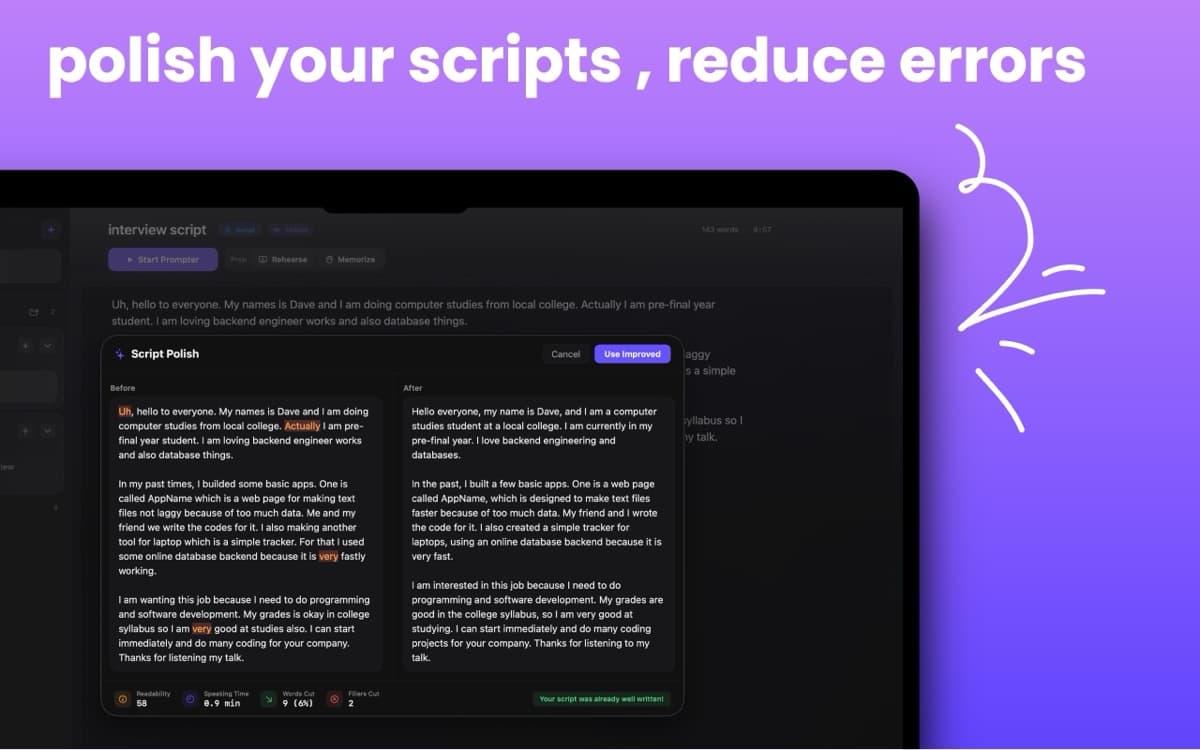
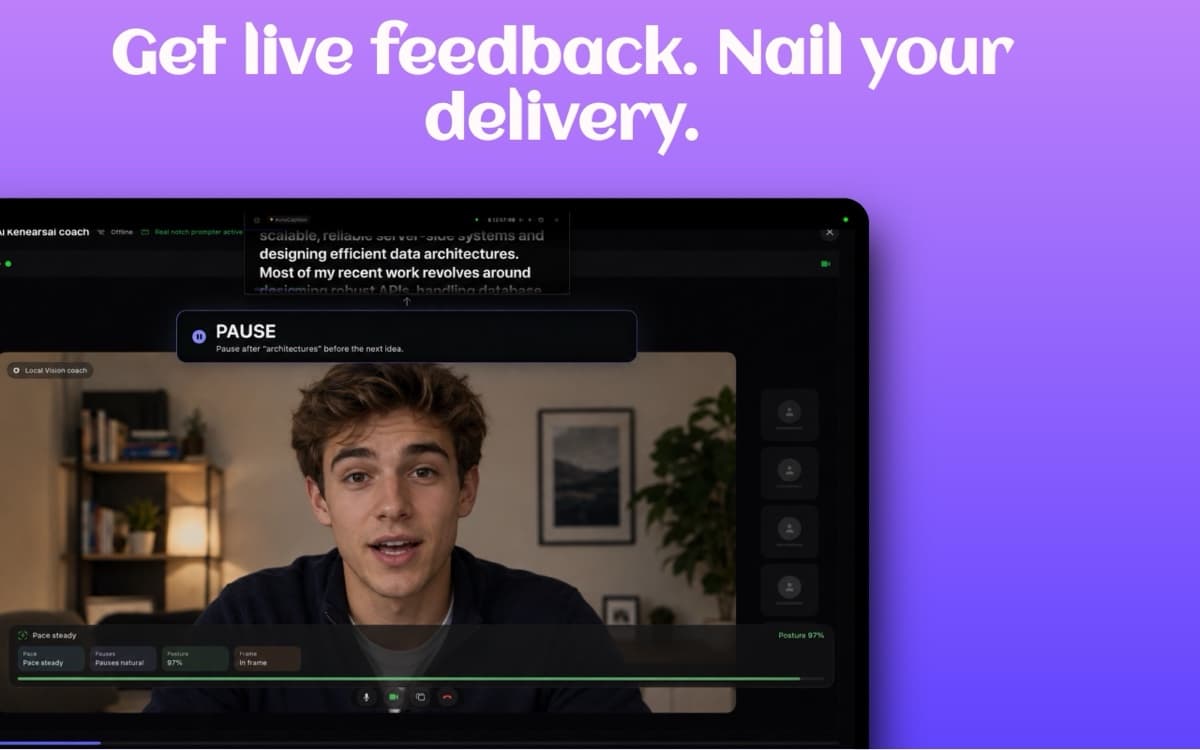
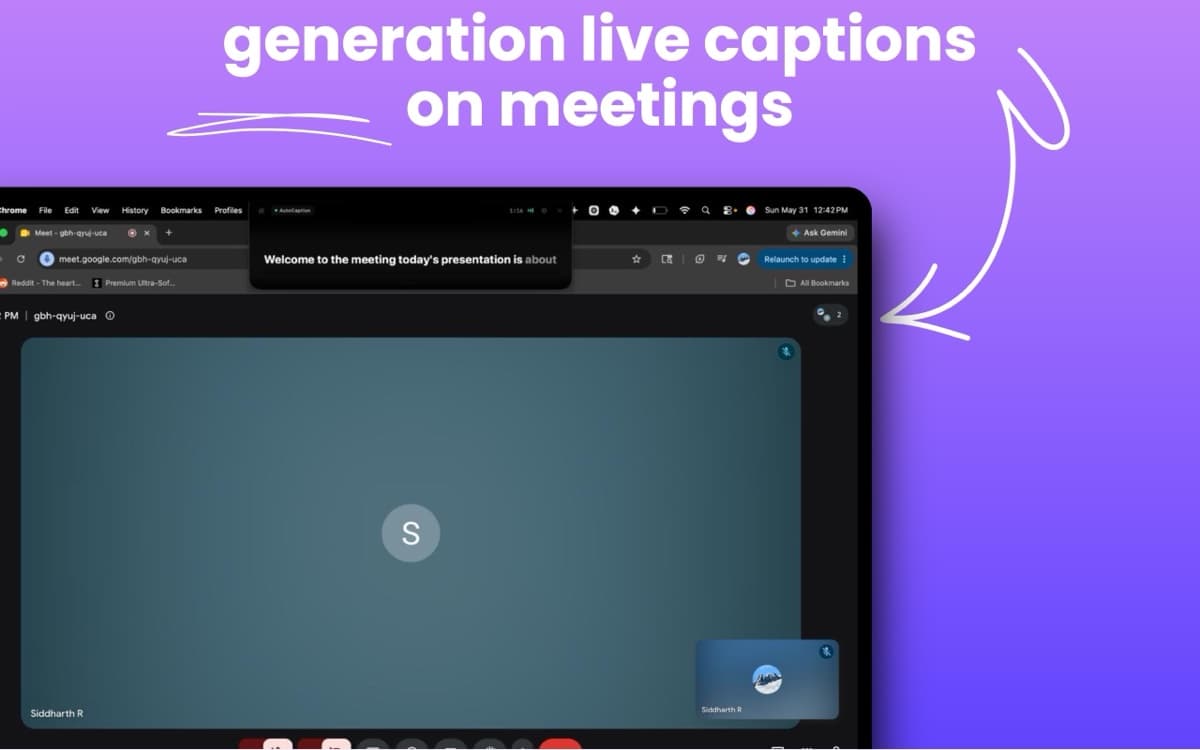
What sets CueNotch apart is that it now covers the full speaking workflow. Magic Polish takes stiff or robotic scripts, the kind you get from ChatGPT or meeting notes, and rewrites them to sound conversational and natural when spoken aloud. AI Rehearsal Coach helps you practice pace, pauses, posture, and framing. AutoCaption adds live meeting captions, Memorize Mode helps you learn scripts in chunks, and the searchable library keeps recurring scripts organized.
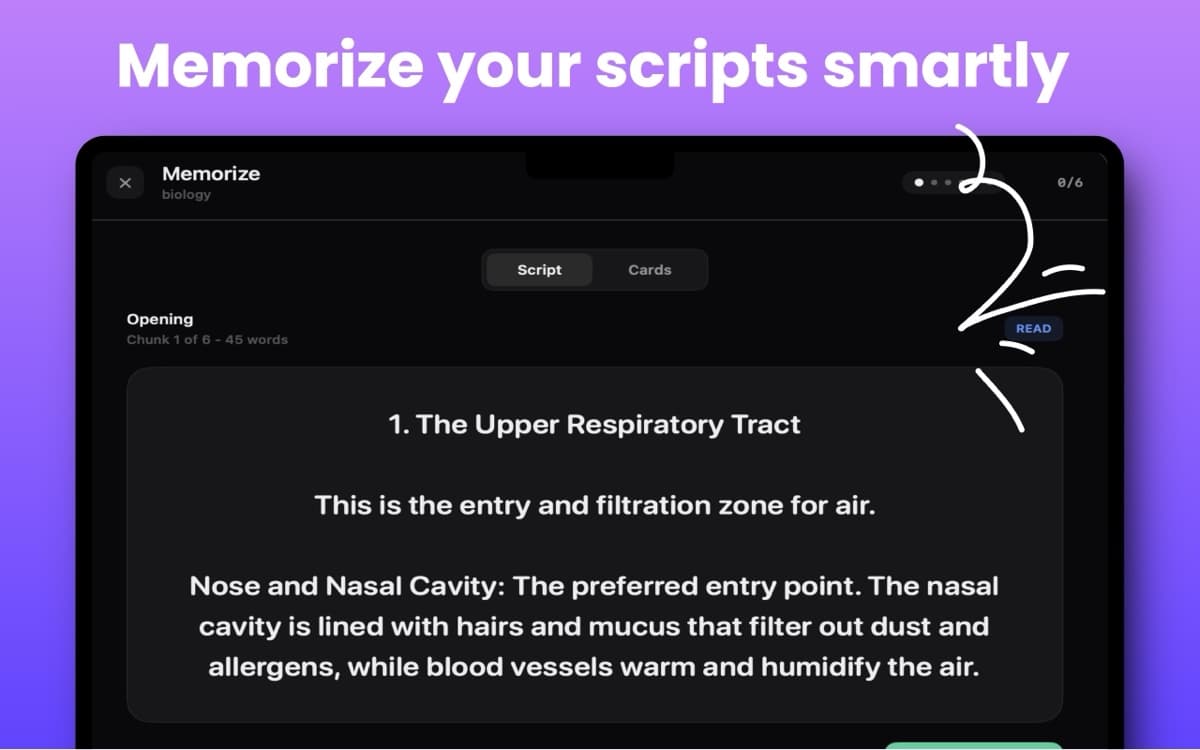
CueNotch is the paid app in this list that combines a 3-day free trial with full Pro features and a permanent free tier (3 activations per day, 100-word limit). You can genuinely test it before buying, which is not the pattern most paid competitors use.
The safest first test. Try a short script, share your screen, and confirm Ghost Mode keeps the teleprompter hidden before you buy anything.
Download CueNotch for Mac from the App StoreMoody
The established choiceMoody is the app that popularized the notch teleprompter concept. Its official site currently advertises a $39 one-time price and says it is trusted by more than 450 creators. It has a focused interface built around camera-level prompting, voice activation, and screen-share privacy.
Feature-wise, Moody covers the essentials well: screen-share privacy, voice-synced scrolling, and a clean reading experience in the notch area. It does not advertise CueNotch-style script polishing, rehearsal feedback, captions, memorization, or a free tier. Its public product page does not clearly describe trial availability, so check the current purchase flow if that matters to you.
Moody is a good app and has earned its reputation. For users who want a narrow, polished prompting tool, it remains a credible choice. New buyers should compare workflow breadth, free access, and macOS compatibility rather than relying on old price comparisons. See our updated Moody Teleprompter review for a deeper dive.
Notchie
Clean and focusedNotchie gained attention through Product Hunt and has built a following with its clean, focused interface. It does the core job well: notch-based teleprompter with Ghost Mode and voice-synced scrolling. The UI is minimal and well-designed, which some users prefer over more feature-rich alternatives.
Notchie is currently listed at $29.99 on the U.S. Mac App Store and does not advertise a free tier. It is a solid choice if you want a straightforward teleprompter without preparation or captioning tools.
If you're the type who values simplicity and a focused feature set, Notchie is worth a look. It does what it promises and does it well.
NotchPrompter
Best free + open sourceNotchPrompter is a free, open-source Mac teleprompter with notch placement, voice activation, screen-capture invisibility, multi-display support, and flexible positioning. It is available from GitHub and the Mac App Store, making it the strongest free option in this comparison.
Its advantage is straightforward: capable core prompting without a subscription. CueNotch differs by adding a guided script workflow around the prompter, including script organization, rewriting, rehearsal feedback, captions, and memorization tools.
Choose NotchPrompter when open-source software and zero cost matter most. Choose CueNotch when you want the teleprompter and the preparation workflow in one supported Mac app.
Textream
Dynamic Island styleTextream is the newest free option, taking a Dynamic Island-inspired approach to the notch teleprompter. It's open source and completely free. The interface feels modern and playful, pulling from the visual language Apple introduced with iPhone's Dynamic Island.
Textream supports capture hiding, real-time word tracking, classic scrolling, and voice-activated scrolling. It also requires macOS 15 Sequoia or later, which excludes users staying on Sonoma. It is distributed outside the Mac App Store, and its official installation instructions note that some users may need to clear macOS quarantine before first launch.
Textream is a capable option if you are on macOS 15+, prefer open-source software, and want word tracking or remote and external-display modes. CueNotch is the more guided choice for users who prefer App Store distribution and an integrated preparation workflow.
The verdict: which one should you pick?
CueNotch. Camera-level prompting with the broadest preparation workflow in this comparison: Ghost Mode, voice sync, Magic Polish, Rehearsal Coach, AutoCaption live captions, Memorize Mode, a searchable script library, a 3-day free trial, and a permanent free tier: $7.99/week or $29.99 lifetime access in the U.S. App Store, with local pricing varying by region. It's the best starting point for anyone new to notch teleprompters. Read our three-way comparison of the paid apps for more detail. Presenting rather than talking one to one? Pick by the room: online presentations or teaching and pitching.
NotchPrompter. If you need a capable free and open-source teleprompter, NotchPrompter is the strongest first choice, with voice activation and screen-capture invisibility included. For a deeper look at free options, see our guide to free Mac teleprompter apps.
Moody. The most established app in the category at $39 one time. Worth considering if you want a mature, focused prompting tool rather than a broader speaking toolkit.
Frequently asked questions
- What is the best Mac teleprompter app for MacBook notch users?
- The best Mac teleprompter depends on the workflow. CueNotch combines camera-level prompting with script, rehearsal, caption, and memorization tools; Moody is a focused paid option; NotchPrompter and Textream are strong free, open-source choices.
- Do MacBook notch teleprompters stay hidden during screen sharing?
- Only apps with a screen-capture exclusion feature stay hidden. CueNotch Ghost Mode is designed to keep the teleprompter visible to you but hidden from Zoom, Meet, Teams, Loom, OBS, and screen recordings.
macOS 14+ · No credit card required · $7.99/week or $29.99 lifetime access