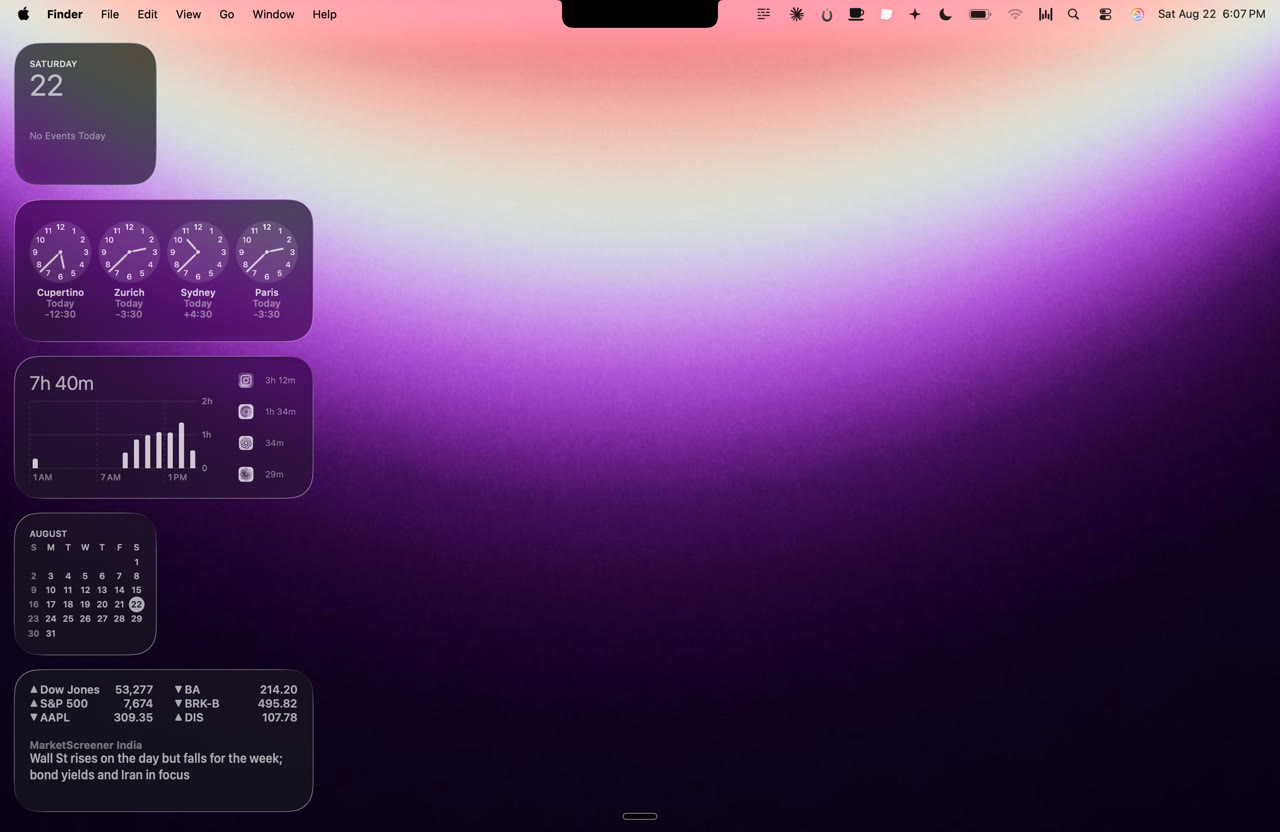
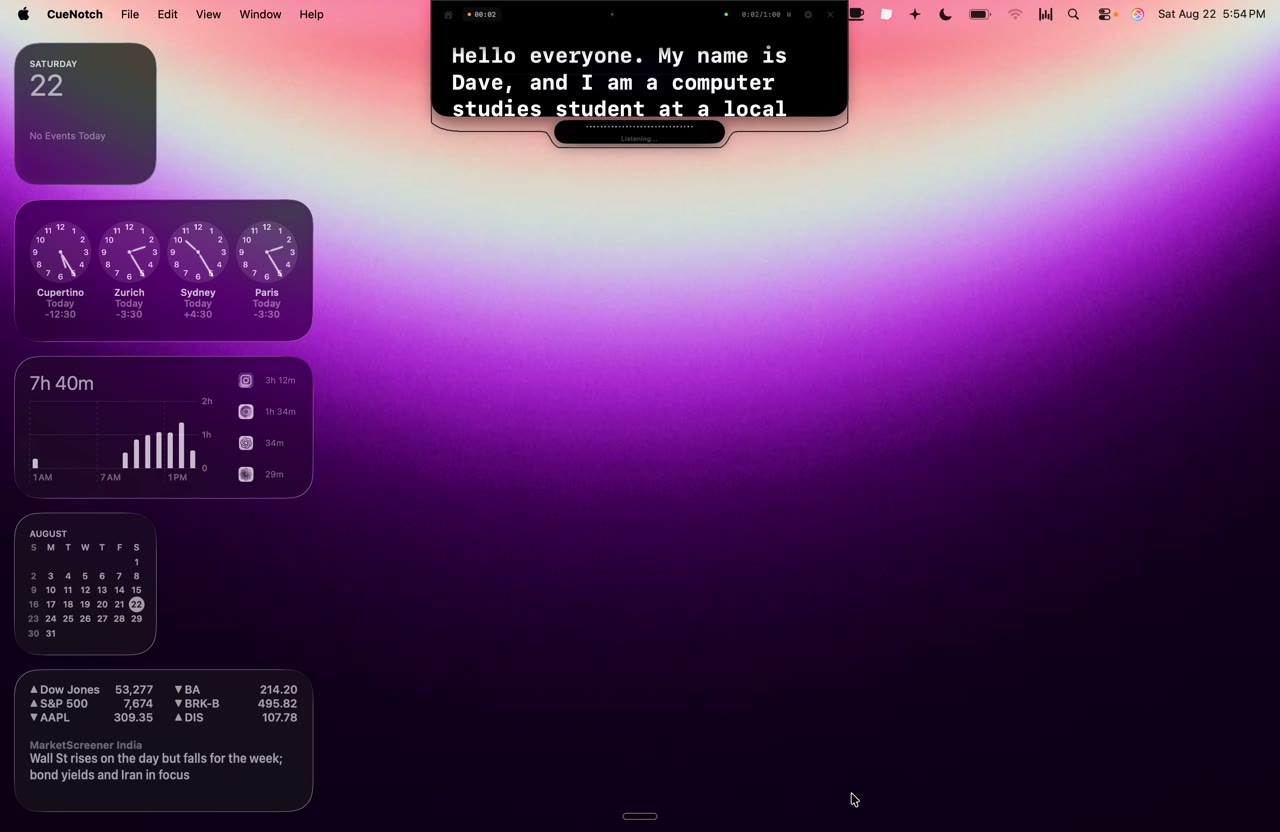
CueNotch is a Mac teleprompter that displays your script inside the MacBook notch, directly beside the webcam, so you can read it while still looking your audience in the eye.
 CueNotch / Press kit
Waiting to press Command Shift Space to start the CueNotch teleprompter.
One shortcut. Your script, by the camera.
CueNotch is a native Mac teleprompter that lives in the MacBook notch: beside the webcam, invisible to every share and recording. Below: verified facts, copy sized for lifting, full-resolution screenshots, and a direct line to the people who built it.
Fact sheet
Everything verifiable in one place, clustered the way stories ask for it. Figures reflect the U.S. App Store listing.
The product
- App name
- CueNotch: Notch Teleprompter
- Subtitle
- Teleprompter for Eye Contact
- One-sentence pitch
- A Mac teleprompter that puts your script in the MacBook notch so you keep eye contact on camera.
- Platform
- macOS 14.0 (Sonoma) or later
- Current version
- 4.2.1: updated 3 August 2026
- Size
- 31.9 MB
- Category
- Productivity · Age rating 4+
- Languages
- English, French, German, Hindi, Japanese, Korean, Polish, Portuguese, Simplified Chinese, Spanish
Availability
- Price
- Free to use. CueNotch Pro is $29.99 one-time for lifetime access, or $7.99 per week (U.S. App Store; local pricing varies). The free tier allows 3 activations per day and a 100-word script limit, without Ghost Mode.
- Released
- 26 March 2026 (version 1.0)
- Website
- cuenotch.com
The company
- Developer
- Siddharth Radhakrishnan
- Press contact
- founderaivora@gmail.com
Copy, in three sizes
Written to be quoted as-is. Every block copies to your clipboard, byte-identical to what you read.
CueNotch is a native macOS teleprompter for people who present, pitch, interview, teach, or record from a Mac. It puts your script inside the MacBook notch, right beside the webcam, so your eye line stays on the camera instead of drifting to a window off to the side. Voice-synced scrolling advances the text at your own speaking pace rather than a fixed speed, and Ghost Mode keeps the overlay out of screen shares and recordings, so your notes never reach the shared window or the final file. CueNotch is free to use, with CueNotch Pro at $29.99 for lifetime access or $7.99 weekly on the U.S. App Store.
Video calls broke eye contact. The camera sits at the top of the screen, but everything you need to read, notes, slides, a script, the faces of the people you are talking to, sits below it. Every glance down is visible to everyone else on the call, and it reads as unprepared or evasive, regardless of how well you know the material.
CueNotch closes that gap by using the one piece of screen nobody else wants. On modern MacBooks the notch is dead space around the camera housing. CueNotch turns it into a teleprompter, placing your script as close to the lens as software can get it. Looking at your notes and looking at the camera become the same movement.
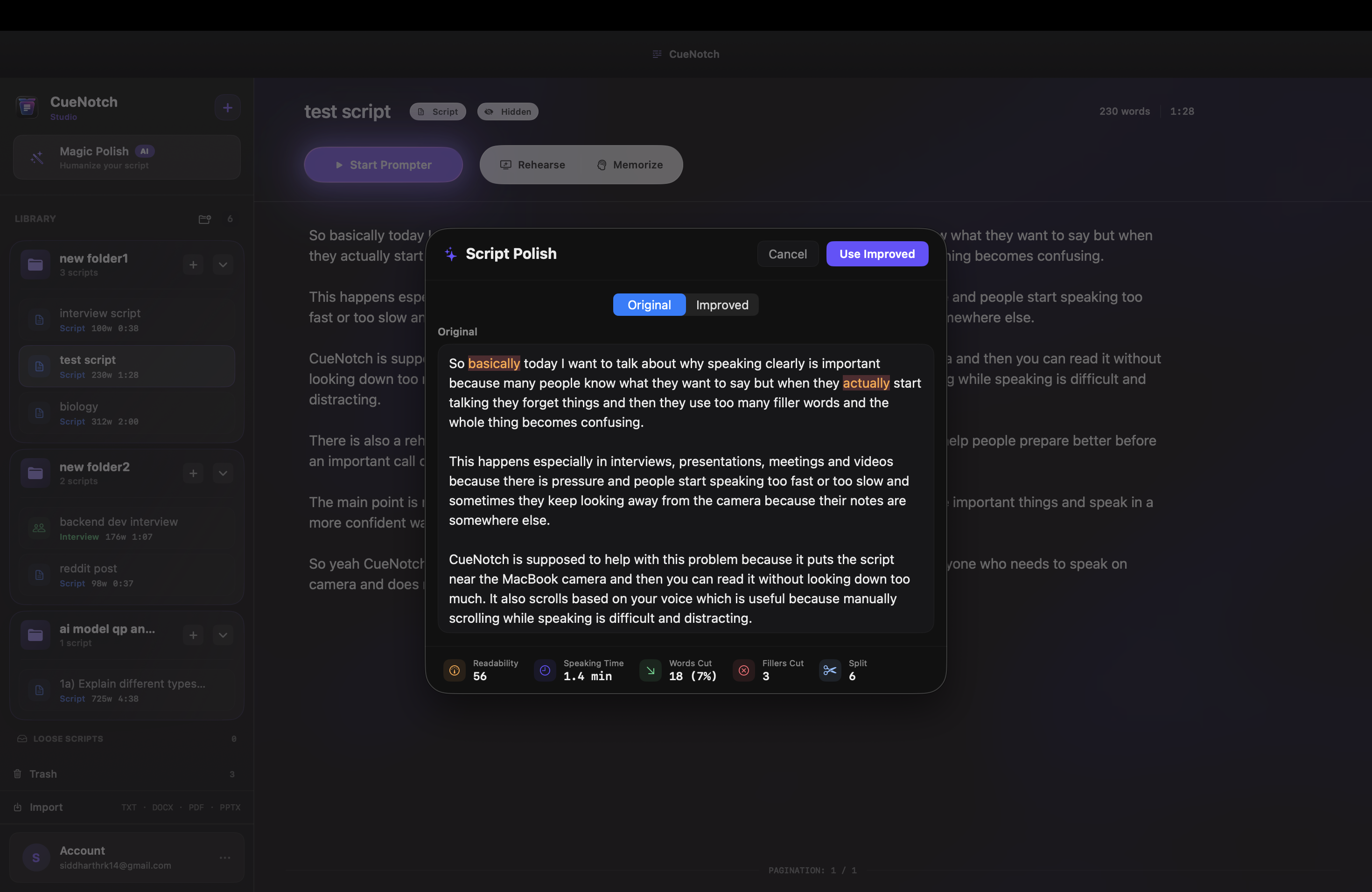
Three things make it usable in a real meeting rather than a studio. Voice-synced scrolling listens to your speech and advances the script as you talk, so pausing for emphasis or speeding up does not leave you fighting a fixed scroll speed. Ghost Mode marks the overlay as excluded from screen capture at the macOS window-server level, which means Zoom, Teams, Google Meet, Loom, and QuickTime never receive it: your audience sees a clean screen while you keep reading. And Magic Polish rewrites a script so it sounds natural spoken aloud rather than written down.
CueNotch is built by a two-person team and sold as a one-time purchase rather than a subscription, on the view that a utility you rely on every week should not bill you every week.
CueNotch is a native macOS teleprompter that displays scripts inside the MacBook notch, beside the webcam, so presenters keep natural eye contact on video calls and recordings. It features voice-synced scrolling that follows the speaker's pace and Ghost Mode, which keeps the overlay out of screen shares and recordings. CueNotch is available on the Mac App Store and is free to use, with a one-time Pro upgrade. More at cuenotch.com.
Key features
Each one written to stand on its own if you lift it into a piece.
The script sits beside the camera, not below it
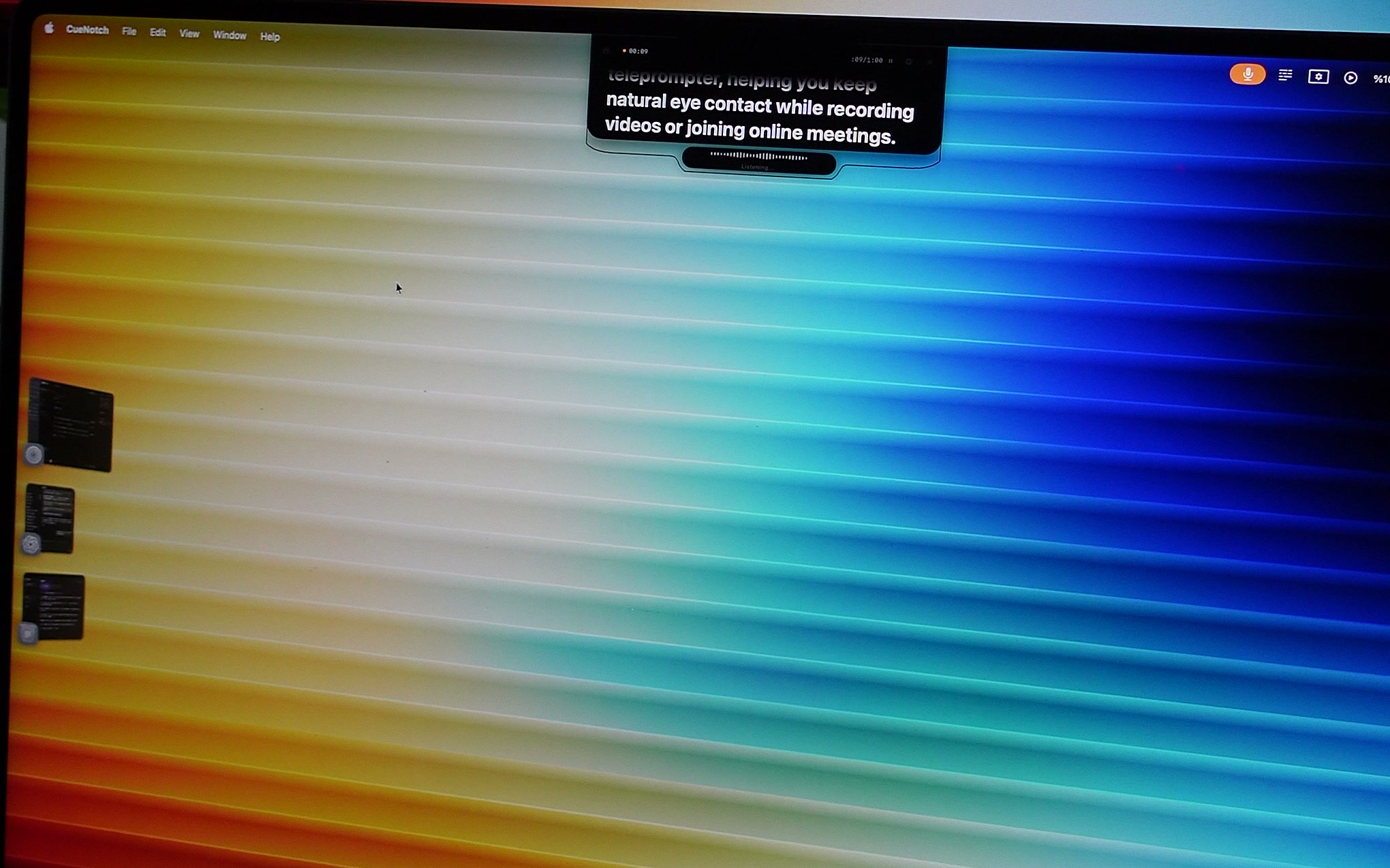
CueNotch renders your script inside the MacBook notch, so reading your notes and looking into the lens become the same eye movement.
Ghost Mode hides the overlay from screen sharing
The overlay is marked as excluded from macOS screen capture at the window-server level, so Zoom, Teams, Google Meet, Loom, and QuickTime never receive it, even while you share your screen.
Voice-synced scrolling follows your pace
The script advances while you speak and stops when you stop, so pausing for emphasis does not leave you chasing a fixed scroll speed or reaching for a remote.
Magic Polish rewrites scripts to be spoken, not read
Notes written for the page are rewritten into sentences that sound natural out loud, which is a different job from grammar checking.
It runs on the Mac you already have
No beam-splitter glass, no mounted tablet, no remote clicker: CueNotch replaces a hardware teleprompter rig with a 32 MB app.
Screenshots
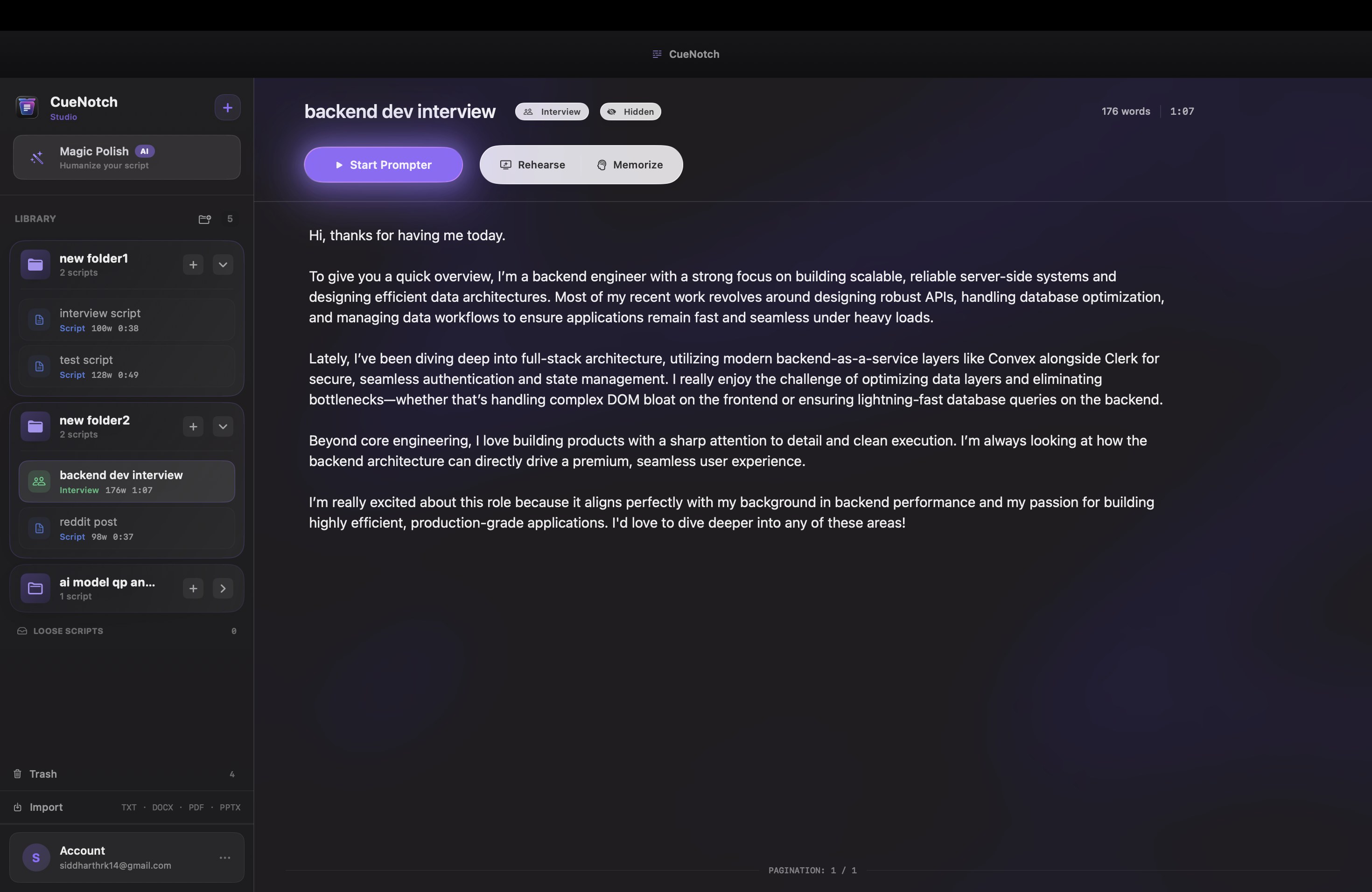
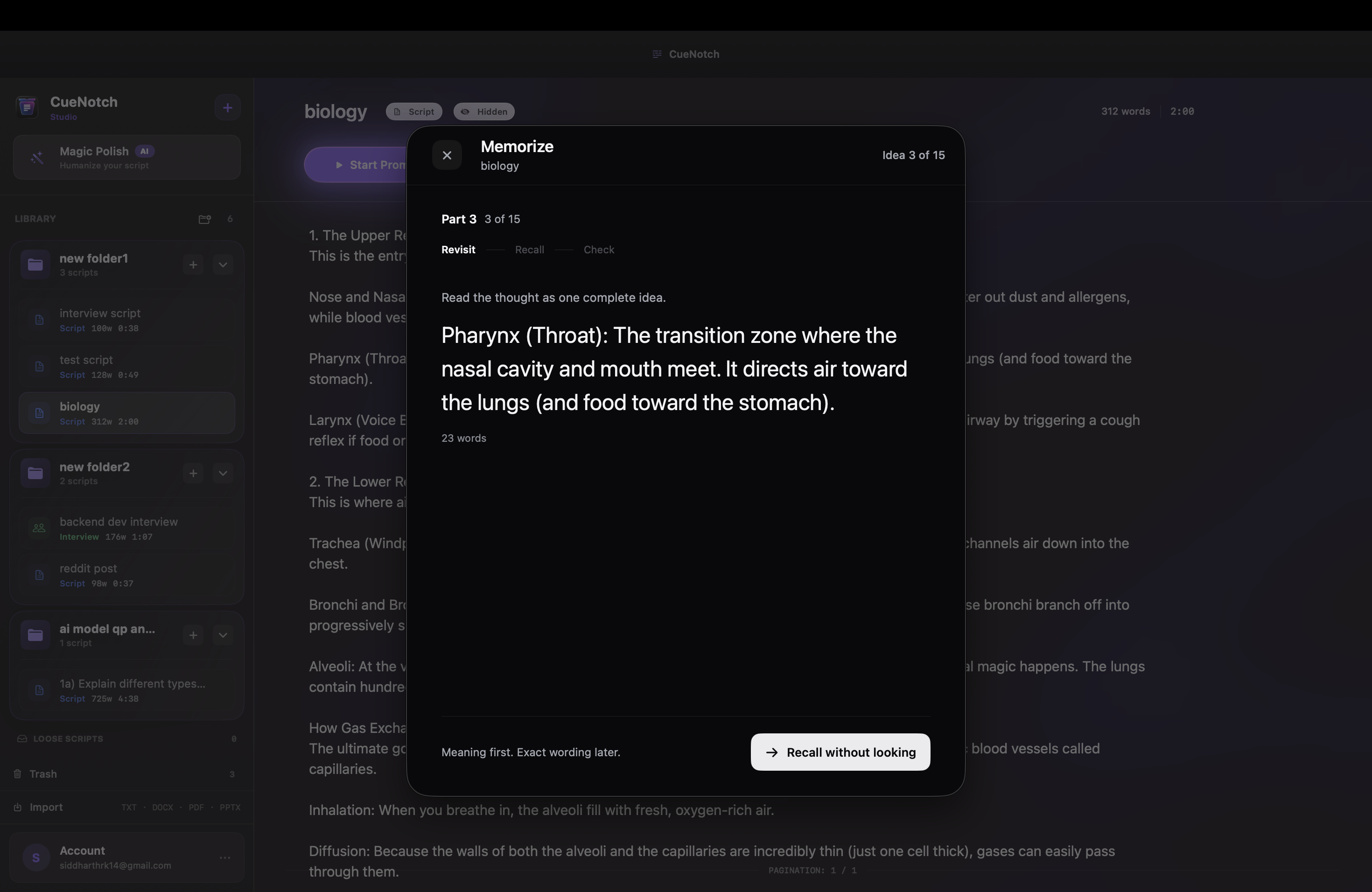
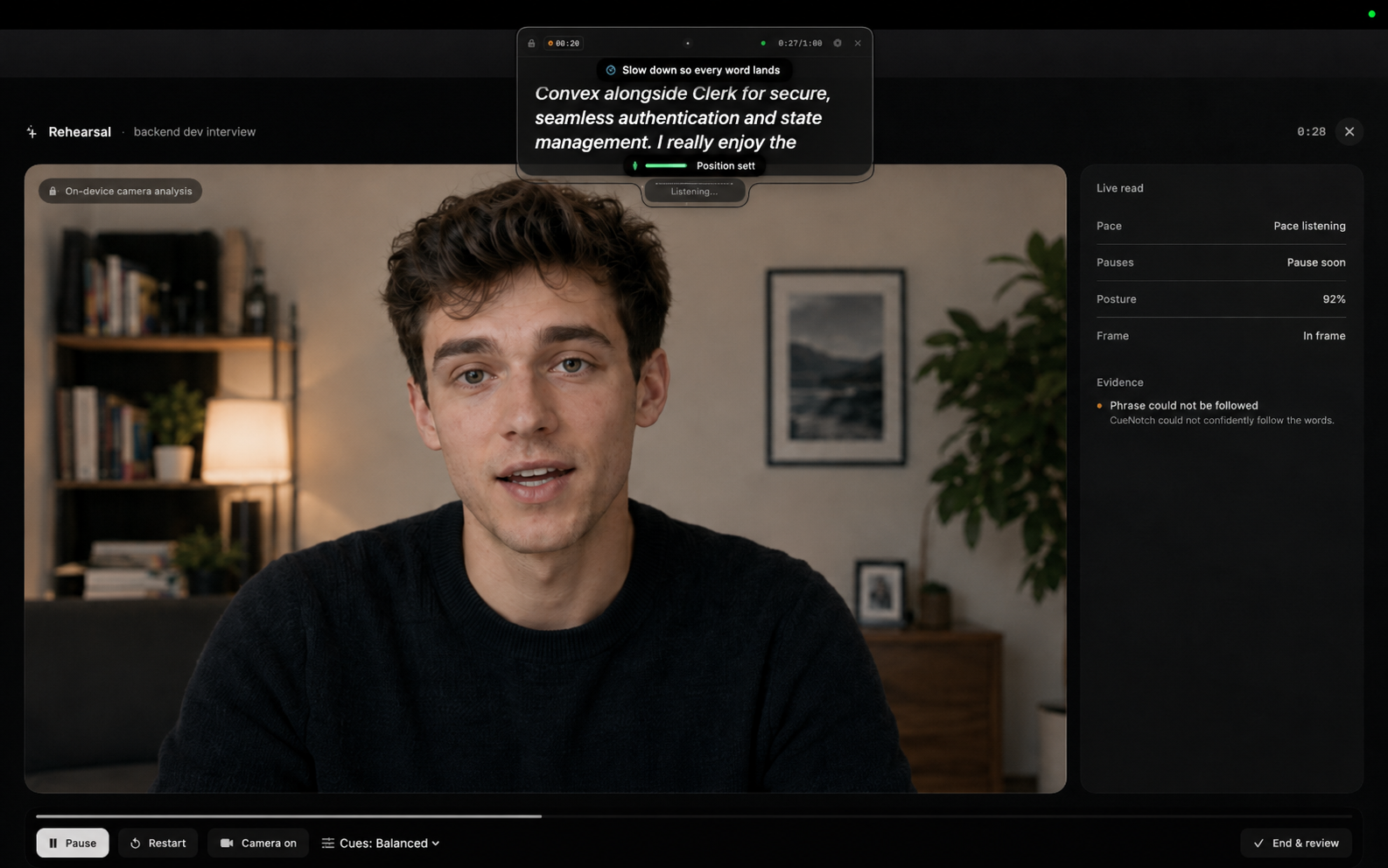
Captured from the app, with no captions, frames, or overlays added. Free to reproduce in coverage of CueNotch. Need a different shot or a specific feature? Email and we will send it the same day.
Brand assets
The app icon, or take everything, screenshots included, in one download.

Who makes it
CueNotch is built by two people. Happy to talk on the record.
Siddharth Radhakrishnan
Technical co-founder
Builds and ships CueNotch for macOS, the notch overlay, Ghost Mode, and voice-synced scrolling, and handles press.
Elia Sollazzi
Co-founder, Head of Marketing and Operations
Runs marketing and operations for CueNotch, from positioning and campaigns to talent sourcing and management.
Get in touch
A direct address, not a contact form. Interviews, builds to test, a quote on deadline. This lands in Siddharth's inbox directly.
Siddharth Radhakrishnan · Co-founder, CueNotch · replies within a day
CueNotch: Notch Teleprompter · Free on the Mac App Store · cuenotch.com