

The Zoom job, in one screen
You need notes. You need to look at the camera. You need to share something that is not the notes.
Mac Presenter View will not do all three. A sticky on the bezel will not. Apple Notes on a full-desktop share will leak. A second monitor makes tennis-match eyes. A phone under the camera is still looking down.
CueNotch is the overlay at the lens:
- Notes beside the camera: in the notch if you have one, compact top-center if you do not. Reading does not drop your gaze into a doc.
- Ghost Mode on the share: full desktop or a single window. The overlay is excluded from capture.
- Voice-sync, on-device: the bullets follow you, then wait when the other person talks.
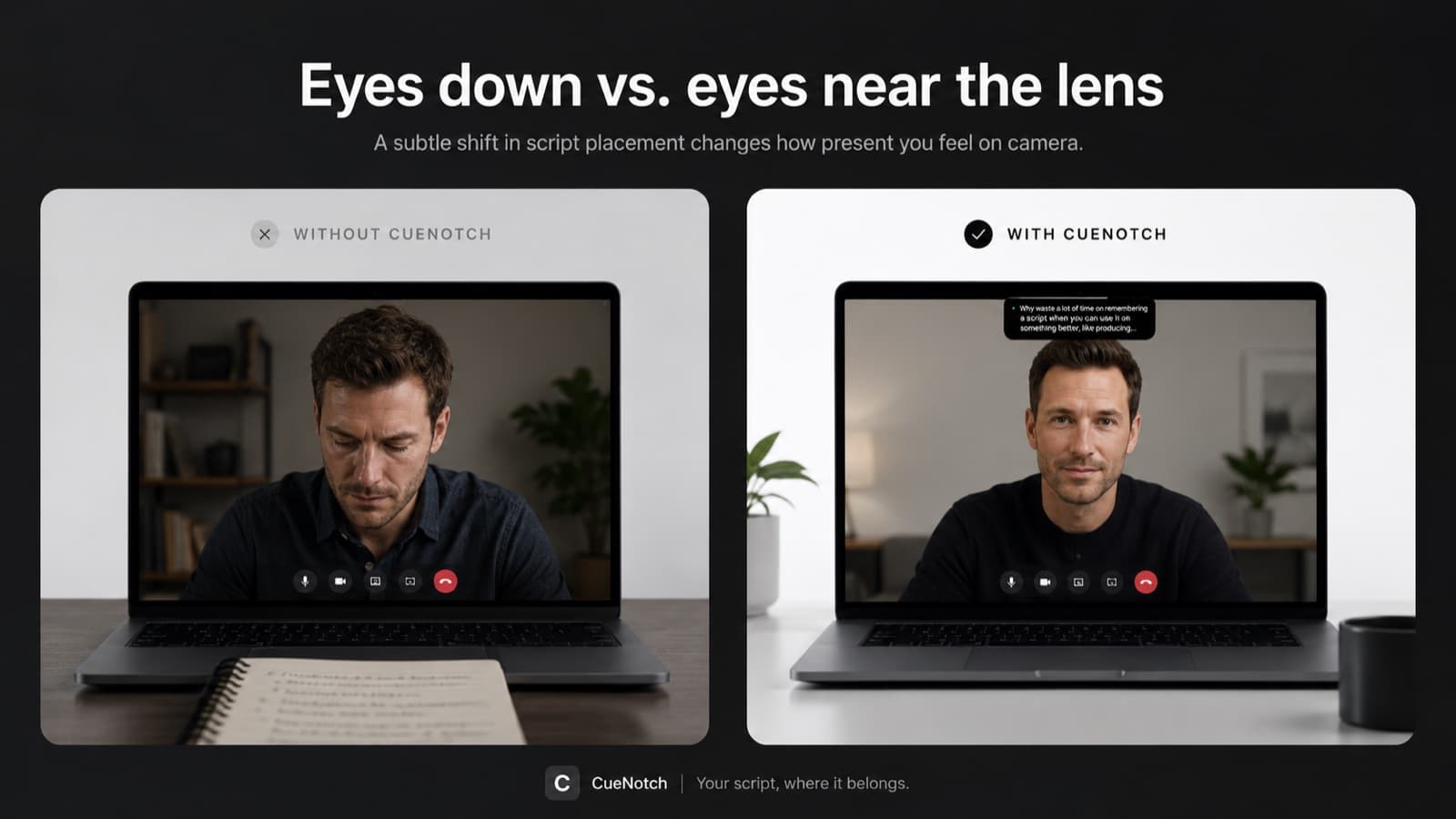
The hotkey is Cmd+Shift+Space. If you are sharing PowerPoint and fighting Presenter View, read speaker notes while screen sharing on Zoom. If the pain is the glance itself, read how to look at the camera on Zoom while you still have notes. On Teams or Meet instead? The same setup works on Microsoft Teams and Google Meet.
Free tier is enough to test this today. Three activations a day and 100-word scripts covers one real Zoom.
Try it on the next ZoomWhat you actually do on a call
Paste the talk track
Five bullets beat a speech.
Turn Ghost Mode on
This is what keeps it out of the share. Ghost Mode is a Pro feature.
Join Zoom and press Cmd+Shift+Space
The overlay appears next to the camera.
Share the slides, the browser, or the whole desktop
Ghost Mode is why the last one is safe.
Open Zoom's share preview
If the overlay is gone there and still on your display, you are clear.
Talk
When someone interrupts, the notes wait.
Cmd+Shift+Space) and the notes appear beside the camera, lit only for you.Walking a live product? Same setup. The demo is the share, and the script stays next to the webcam. This is not live objection coaching and it is not a second brain in the call. It is the outline you already wrote, private, at the lens.
Your scripts and voice stay on the Mac
Voice-synced scrolling runs on-device and scripts live on your Mac. CueNotch does not send the talk track or your microphone stream to a coaching cloud so someone else can feed you lines.
Ghost Mode uses the macOS capture-exclusion property sharingType, which is why a full-desktop Zoom share can stay clean. Preview anyway: Zoom updates capture paths, and a ten-second check is cheaper than a leaked outline. There is a deeper walkthrough in Ghost Mode, invisible during screen sharing.
Pricing, U.S. App Store
One time. Every future version included.
Per week, cancel anytime.
Full Pro. Does not auto-renew.
3 activations a day, scripts up to 100 words.
Local App Store pricing may vary. Requires macOS 14 or later.
Questions
Can people on Zoom see it?
Not if Ghost Mode is on. The overlay is hidden from Zoom screen share, and from Meet, Teams, Loom, OBS, screenshots and recordings. You still see it on your display. Always check Zoom's share preview before the real audience is watching.
Does it work without a notch?
Yes. On Macs with no notch, CueNotch uses a compact top-center overlay next to the camera. Same job: notes at the lens, not in a window halfway down the screen.
Is voice-sync on-device?
Yes. Scrolling follows your voice on the Mac, and scripts stay on the Mac. CueNotch does not send your talk track or microphone stream to a coaching cloud.
What does it cost?
$29.99 lifetime in the U.S. App Store, or $7.99 per week. The free tier gives you 3 activations per day and scripts up to 100 words, which is enough for one real Zoom today. The 3-day Pro trial does not auto-renew.
Do I share a window or the whole desktop?
Either. Ghost Mode is the point of a full-desktop share. Window-share is still fine for a deck. When you leave PowerPoint for a live tab, you do not have to rebuild a green portion-of-screen box.
Look at the camera. Keep the notes.
If you have been calling this a teleprompter, that is the job a camera-level prompt actually does. If you have not, you still just wanted notes next to the camera that Zoom cannot share.
Get CueNotch: $29.99 lifetime- Free: 3 activations a day, 100-word scripts
- Ghost Mode on Zoom share
- macOS 14+