How to Memorize a Presentation Script
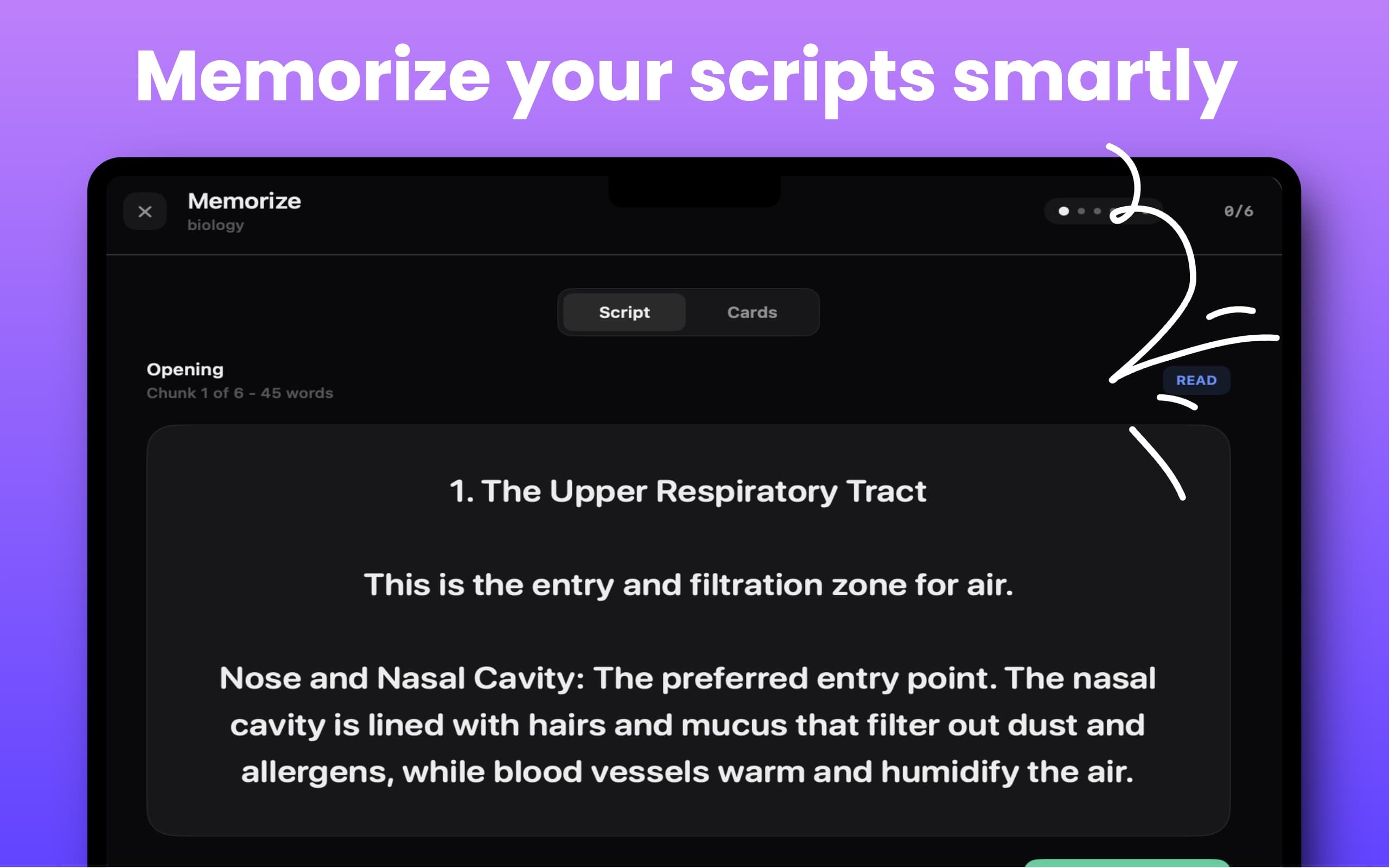
Memorizing a script by rereading the whole thing is slow and stressful. CueNotch Memorize Mode turns long scripts into smaller chunks and cards, so you can practice recall instead of staring at a wall of text.
Short Answer
To memorize a presentation script, break it into small sections, learn the idea behind each section, then rehearse the transitions. CueNotch Memorize Mode gives you chunked script practice and cards, while the MacBook notch teleprompter stays available as a private backup.
Why Chunking Works Better
Good speakers do not memorize every word as one giant paragraph. They remember beats: opening, transition, proof point, objection, close. Memorize Mode mirrors that structure by breaking a script into manageable sections you can practice one at a time.
Best Use Cases
- Student presentations where you need structure without sounding robotic.
- Founder pitches and demo scripts where the same story repeats often.
- Interview answers that should feel prepared but not memorized line by line.
- Sales intros, objection handling, and product walkthroughs.
- Teaching scripts, webinar sections, and recurring announcements.
Step-by-Step Workflow
- Write or paste your script in CueNotch.
- Run Magic Polish if it sounds too formal.
- Open Memorize Mode and practice one chunk at a time.
- Switch between script and card views until the structure feels automatic.
- Rehearse with AI Rehearsal Coach to check delivery.
- Deliver with the notch teleprompter when you still want exact wording nearby.
Memorize Mode vs Flashcards vs Notes
Flashcards help with recall, but they usually sit outside your speaking workflow. Notes apps are flexible, but they do not move naturally into teleprompter delivery. CueNotch combines script editing, cards, rehearsal, and notch prompting in one place, so practice and presentation stay connected.
You do not have to choose between memorizing everything and reading every word. The strongest workflow is usually in the middle: know the structure well, then keep a clean teleprompter backup for the exact phrasing that matters.
Related CueNotch Guides
- How to organize scripts in a searchable library
- Speaker notes on Zoom without showing them
- How to get better eye contact on Zoom
FAQ
What is the best way to memorize a presentation script?
Break it into small idea chunks, practice recall one chunk at a time, then rehearse transitions. This makes the script easier to remember and less likely to sound memorized.
What does CueNotch Memorize Mode do?
Memorize Mode turns long scripts into chunks and cards so you can practice the structure before using CueNotch as a live notch teleprompter.
Do I still need a teleprompter if I memorize my script?
For high-stakes calls, often yes. Memorization steadies your delivery, while a private notch teleprompter gives you a safety net for exact wording.
macOS 14+ · Memorize Mode · Script chunks and cards
Frequently asked questions
- What is the best way to memorize a presentation script?
- The best practical method is to break the script into small idea chunks, practice recall one chunk at a time, and keep a discreet teleprompter backup for exact wording.
- What does CueNotch Memorize Mode do?
- CueNotch Memorize Mode turns scripts into smaller chunks and cards so presenters can practice structure, recall, and delivery before using the notch teleprompter.
- Do I still need a teleprompter if I memorize my script?
- Often yes. Memorization helps you sound natural, while the CueNotch notch teleprompter gives you a private backup for exact wording during high-stakes delivery.