A Script Library for Serious Mac Teleprompter Workflows
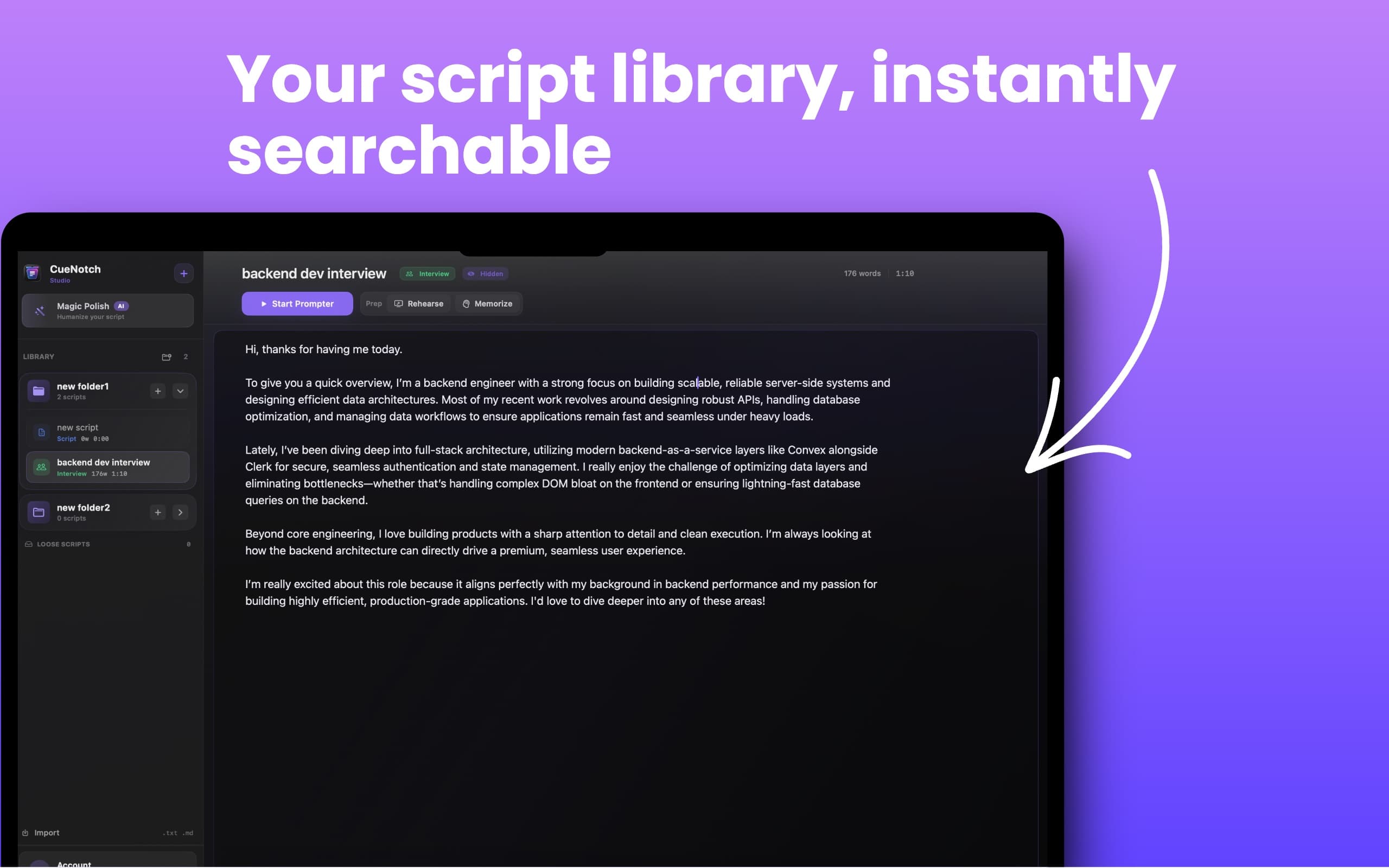
The longer you use a teleprompter, the more scripts you collect: interview answers, sales intros, YouTube outlines, class notes, product demos, and webinar openings. CueNotch keeps them organized in a searchable library instead of scattered files.
Short Answer
CueNotch is a Mac teleprompter with a searchable script library. You can organize scripts in folders, find them quickly, improve drafts with Magic Polish, rehearse them, memorize sections, and launch the notch teleprompter from the same workflow.
Why Script Organization Matters
Most teleprompter workflows start with one pasted script. Professional workflows quickly become a library. You need folders, names, script types, prep states, word counts, and fast search so you can find the right talking track before the meeting starts.
Best Use Cases
- Interview answers grouped by role, company, or question type.
- Sales scripts for discovery, demo, pricing, follow-up, and objection handling.
- YouTube intros, sponsor reads, hooks, and calls to action.
- Class notes, lectures, podcast openings, and recurring announcements.
- Founder pitches, investor updates, webinar talks, and product demo scripts.
Step-by-Step Workflow
- Create a folder for the speaking context, such as interviews, sales, classes, or videos.
- Add scripts with clear names so they are easy to search later.
- Use the editor to refine wording and check length before rehearsal.
- Run Magic Polish when a script sounds written instead of spoken.
- Practice with AI Rehearsal Coach or Memorize Mode.
- Start the MacBook notch teleprompter when it is time to present.
Script Library vs Notes Apps
Notes apps are good for drafting, but they are not built around live delivery. A script library inside CueNotch keeps writing, search, rehearsal, memorization, and teleprompter launch in one place. That matters when the meeting starts in five minutes and you need the right version immediately.
Compared with simple teleprompter apps, CueNotch is built for repeat use. It helps you manage a growing collection of speaking material instead of treating every script as a one-off paste box.
Related CueNotch Guides
- How to memorize scripts for presentations
- How to use a teleprompter for sales calls
- Best teleprompter app for YouTube videos on Mac
FAQ
Why does a teleprompter need a script library?
Once you reuse scripts across interviews, calls, lessons, or videos, search and folders save time. You can find the right talking track quickly instead of digging through random documents.
What can I store in CueNotch?
You can store interview answers, sales scripts, YouTube outlines, class notes, product demos, webinar sections, and recurring speaking notes.
Can I go from the library directly to the teleprompter?
Yes. CueNotch keeps the library, editor, Magic Polish, Rehearsal Coach, Memorize Mode, and notch teleprompter workflow together.
macOS 14+ · Folders · Search · Built-in editor
Frequently asked questions
- Why does a teleprompter need a script library?
- A script library helps presenters reuse and find interview answers, sales scripts, teaching notes, YouTube outlines, and presentation talking points without scattering files across different apps.
- What can I store in the CueNotch script library?
- You can organize interview scripts, sales calls, YouTube scripts, product demos, lessons, webinars, and recurring speaking notes in CueNotch.
- Can I move from the script library directly to the teleprompter?
- Yes. CueNotch keeps the library, editor, Magic Polish, Rehearsal Coach, Memorize Mode, and notch teleprompter workflow in one Mac app.