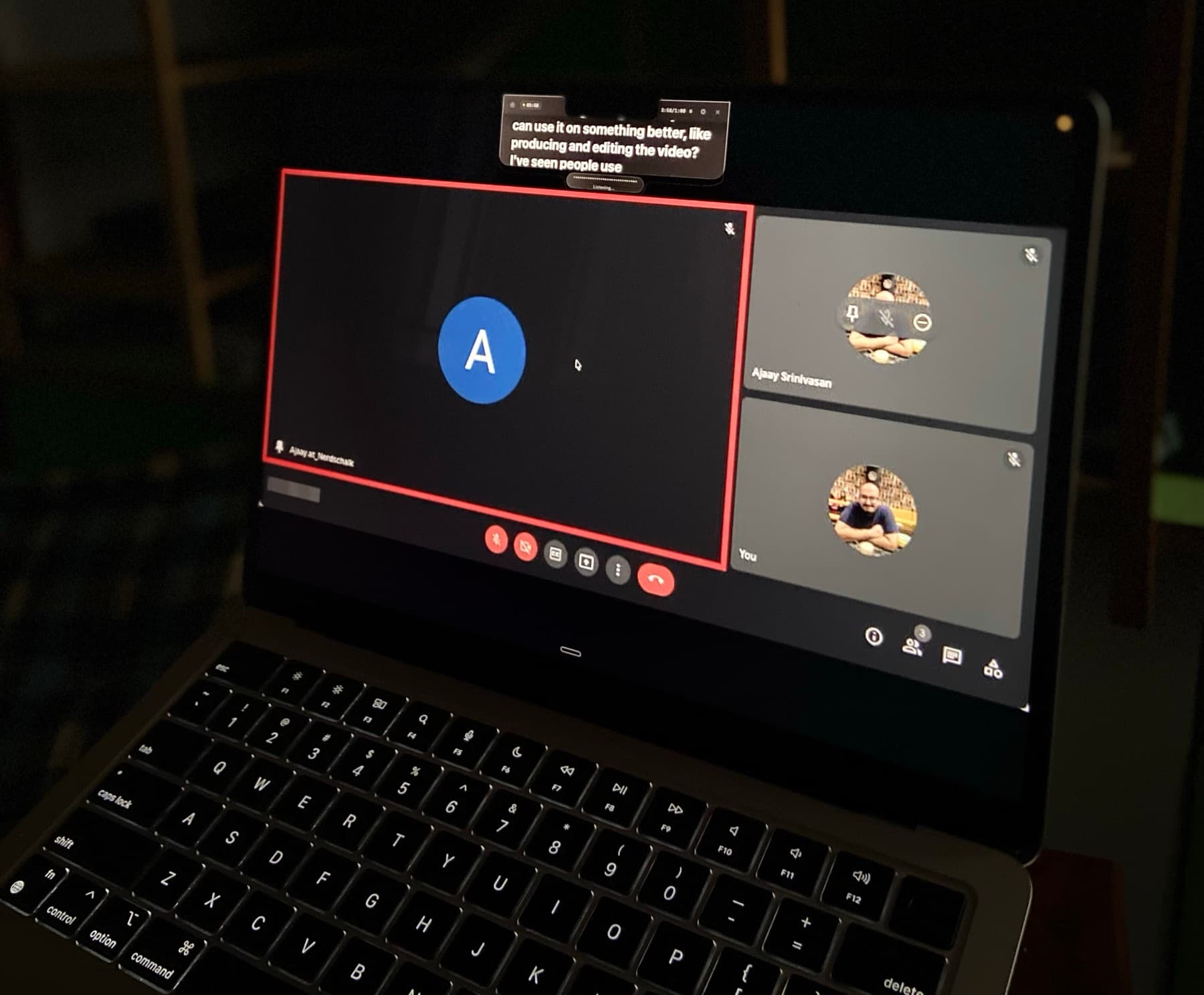
Your script stays close to the camera.Script near camera.

Voice-synced. Hands-free.

Hidden from screen sharing when you need privacy.Hidden in screen shares.

You read naturally. They see eye contact.Eyes stay natural.

Your script stays close to the camera.Script near camera.

Voice-synced. Hands-free.

CueNotchFileEditViewFormatWindowHelp
Sat 5:47 PM
Invisible Teleprompter for Mac

Teach Clearly. Stay on Track. The Teleprompter for Online Teachers.

CueNotch is a private teleprompter app for Mac that keeps your script beside the camera, follows your voice, and stays hidden during screen sharing.

Trusted by more than 1,000 professionals.

Native macOS app macOS 14+

Teach Clearly. Stay on Track. The Teleprompter for Online Teachers.

A private teleprompter app for Mac that keeps your script beside the camera, follows your voice, and stays hidden during screen sharing.

Get CueNotch for MacWatch the 40-second demo

Trusted by more than 1,000 professionals.

Ghost Mode

Visible to you. Hidden from everyone else.

Keep your script beside the camera while CueNotch stays out of screen shares and recordings. You keep your notes. They see a clean call.

How Ghost Mode hides a teleprompter during screen sharing
Private during sharingNo window jugglingOne-click Pro mode
CueNotch script near the MacBook camera during a video call while screen sharing stays clean
Invisible in screen shares
Voice Sync

The script follows your voice, not a fixed timer.

CueNotch learns your pace, listens locally, and moves the script as you speak. Pause to think and it waits with you.

How voice-synced teleprompter scrolling works on Mac
Matches your paceWaits when you pauseProcesses on-device
Listening and matching your pace

Beyond the prompter

From rough notes to a confident take.

Write, rehearse, caption, and memorize without leaving your focused Mac workspace.

Script library

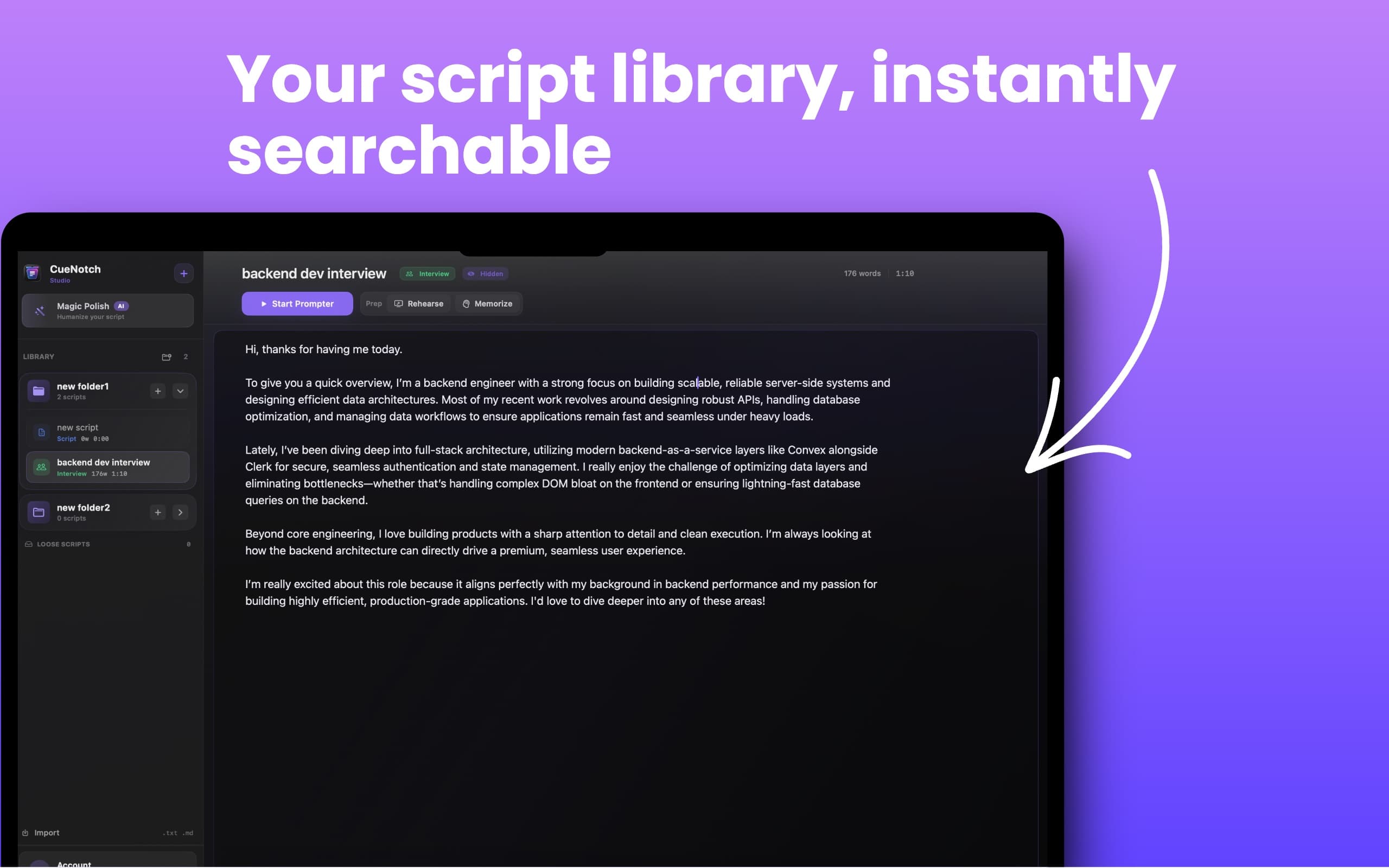
Searchable script library

Organize scripts in folders, search instantly, and launch the right one without digging through files.
CueNotch script library with searchable folders and a built-in Mac teleprompter editor

More than a prompter

One focused toolkit for every take.

Write, rehearse, caption, and recall without leaving CueNotch.
Script librarySearchable script library
CueNotch script library with searchable folders and a built-in Mac teleprompter editor

Organize scripts in folders, search instantly, and launch the right one without digging through files.

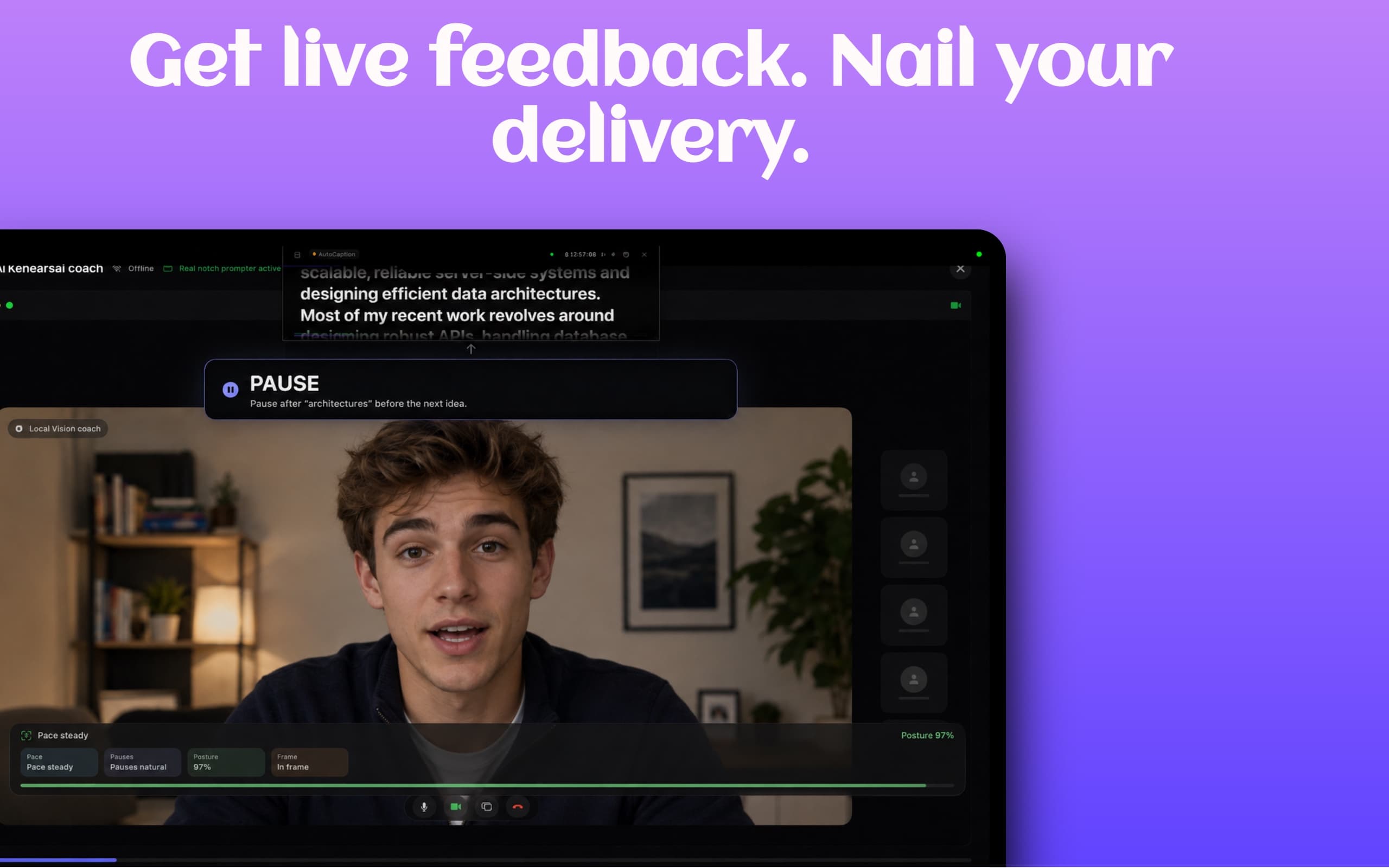
PracticeAI rehearsal coach
CueNotch AI Rehearsal Coach giving live feedback on pace, pauses, posture, and framing

Practice with feedback for pace, pauses, posture, and framing before the call matters.

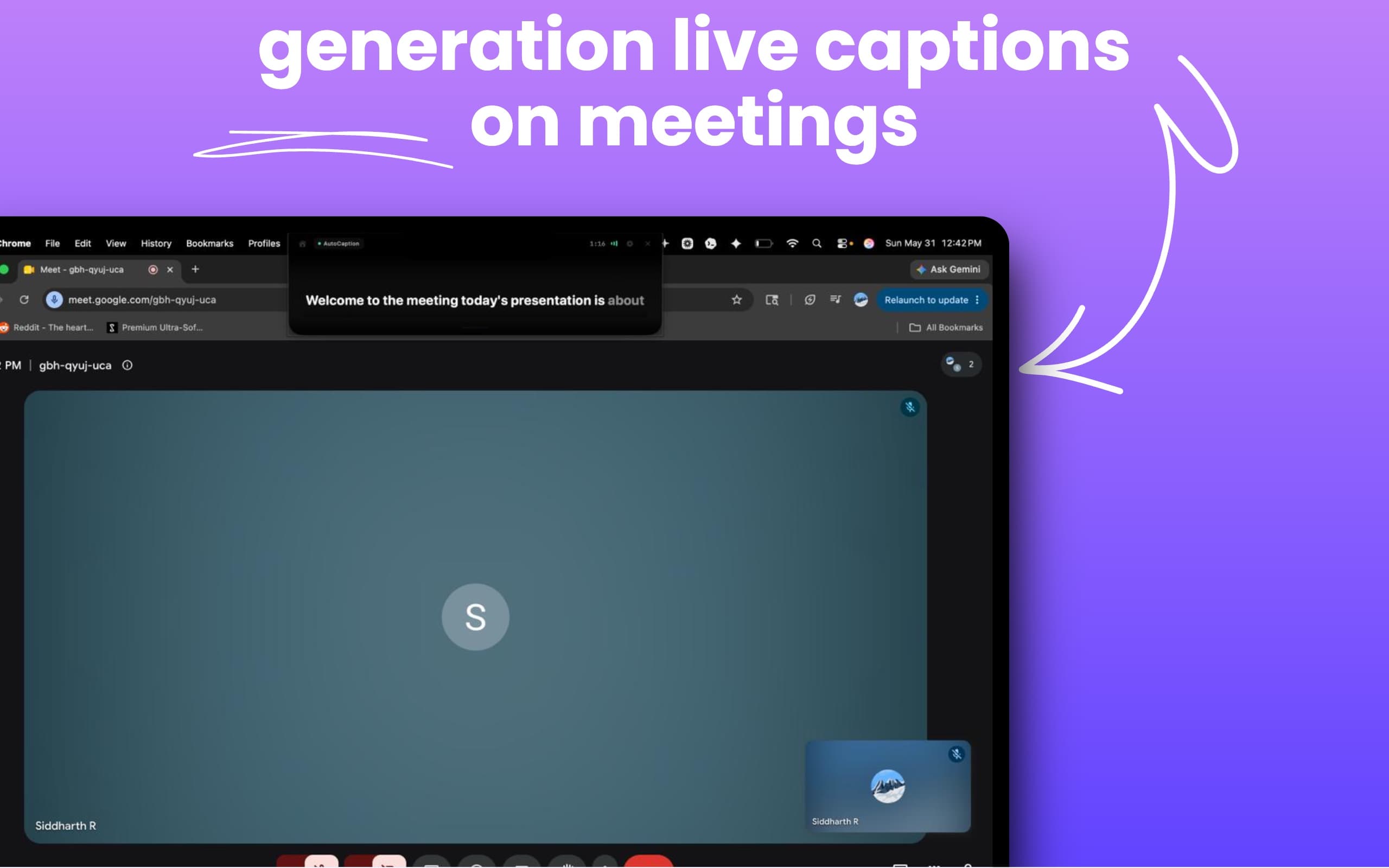
AutoCaptionLive captions
CueNotch AutoCaption generating live captions during a Google Meet meeting on Mac

Turn spoken audio into readable live captions during meetings and presentations.

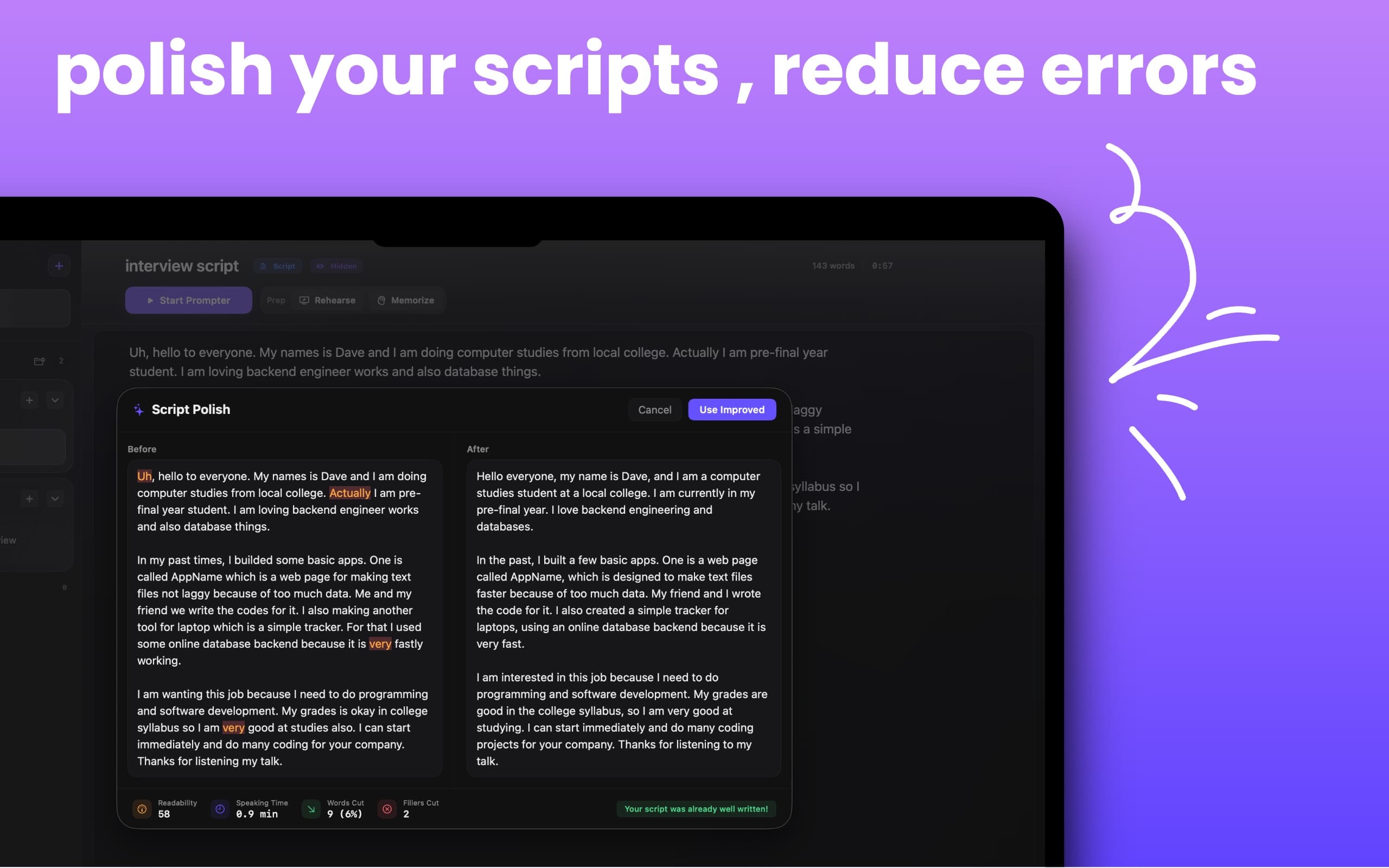
WritingMagic Polish
CueNotch Magic Polish improving a script by reducing fillers and rewriting text for natural speech

Turn rough notes into speakable scripts with cleaner flow and fewer filler words.

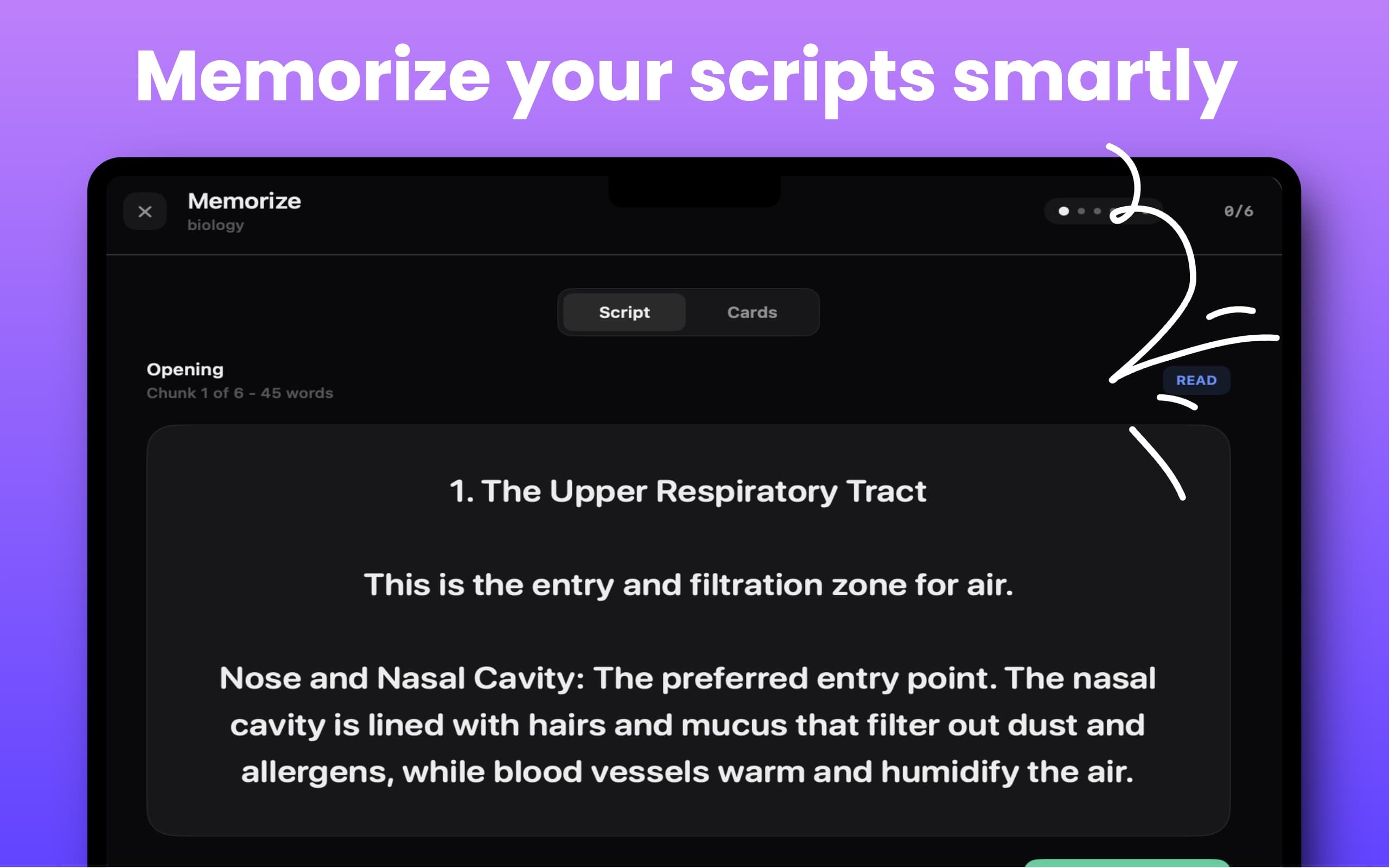
RecallMemorize Mode
CueNotch Memorize Mode showing chunked script practice and cards for memorizing presentations

Break long scripts into chunks and practice recall step by step.

Real workflow

See the eye-contact difference.

Watch CueNotch follow a speaker while the script stays close to the camera.

How to read notes on Zoom without looking away

Trusted when the camera is on.

Recent App Store reviews from interviews, presentations, teaching, and content creation.

Mac App Store review

Best Notch Prompter

Jun 1, 2026 / Jakeford95

After my free trial expired, I tried three other notch teleprompters and none came close to this one.
Mac App StoreUnited States

Mac App Store review

A fantastic tool for teachers and educational content creators

May 6, 2026 / Man.Osm

I use it while preparing lessons and explanations, and it helps me organize my thoughts and deliver content smoothly.
Mac App StoreUnited States

Seen by Mac creators

Reddit r/MacOS
Product Hunt
Perplexity AI #1
507
Upvotes on r/MacOS
129K
Views
123
Comments
#1
Perplexity AI mention

CueNotch Pro

Pay once. Keep the full toolkit.

Try every Pro feature for 3 days, then unlock lifetime access with one App Store purchase.

$29.99one time
Start the free trialLocal App Store pricing may vary.
Voice-synced scrollingGhost Mode and unlimited scriptsScript library and Magic PolishAI rehearsal feedbackLive captions and Memorize ModePriority support and future updates
Prefer to stay free?Use 3 daily activations, 100-word scripts, voice scrolling, hotkeys, and the editor.
Get the free version

More than a notch teleprompter.

CueNotch combines prompting with writing, rehearsal, captions, and recall tools in one Mac app.

FeatureCueNotchMoodyNotchPrompter
Private during screen sharing
Voice-synced scrolling
Script rewriting
AI rehearsal feedback
Live captions
Memorize Mode
Free version
Price$29.99one-time lifetime access$29one timeFreeopen source

Compared with publicly listed features and pricing in July 2026. Compare the best Mac teleprompter apps.

Designed for Online teachers

More attention for the learner, less for finding your place.

Online teaching asks you to manage explanations, student reactions, slides, demonstrations, and time from one screen. CueNotch places the lesson path beside the camera so you can introduce a concept, remember the next example, and return from questions without losing your place. When you share slides or a browser demonstration, Ghost Mode keeps your private teaching notes out of the class view.

Explore live captions for meetings and lessons
CueNotch live captions and teaching notes used during an online lesson on Mac
Teach, caption, and share from one focused Mac workspace.
  1. Explain in a clear sequence

    Keep definitions, transitions, examples, and recaps in order without repeatedly checking a lesson plan off-camera.

  2. Return smoothly after questions

    Pause the prepared explanation, respond to the class, and continue from the correct point when the discussion settles.

  3. Create accessible material

    Use AutoCaption to turn spoken audio into readable live captions during lessons, meetings, and presentations.

Frequently asked questions

Can I use CueNotch while sharing teaching slides?
Yes. Ghost Mode is designed to keep CueNotch out of the shared screen while your lesson cues remain visible to you beside the Mac camera.
Does CueNotch work for recorded online courses?
Yes. Camera-level prompting and voice-synced scrolling are useful for course modules, lecture recordings, tutorials, and educational videos recorded on a Mac.
Can it handle student questions and pauses?
Voice sync waits when you stop speaking from the prepared material, so you can answer a question or demonstrate something and return without racing a timer.
Does CueNotch include captions?
CueNotch includes AutoCaption, which turns spoken audio into readable live captions during meetings, lessons, and presentations.