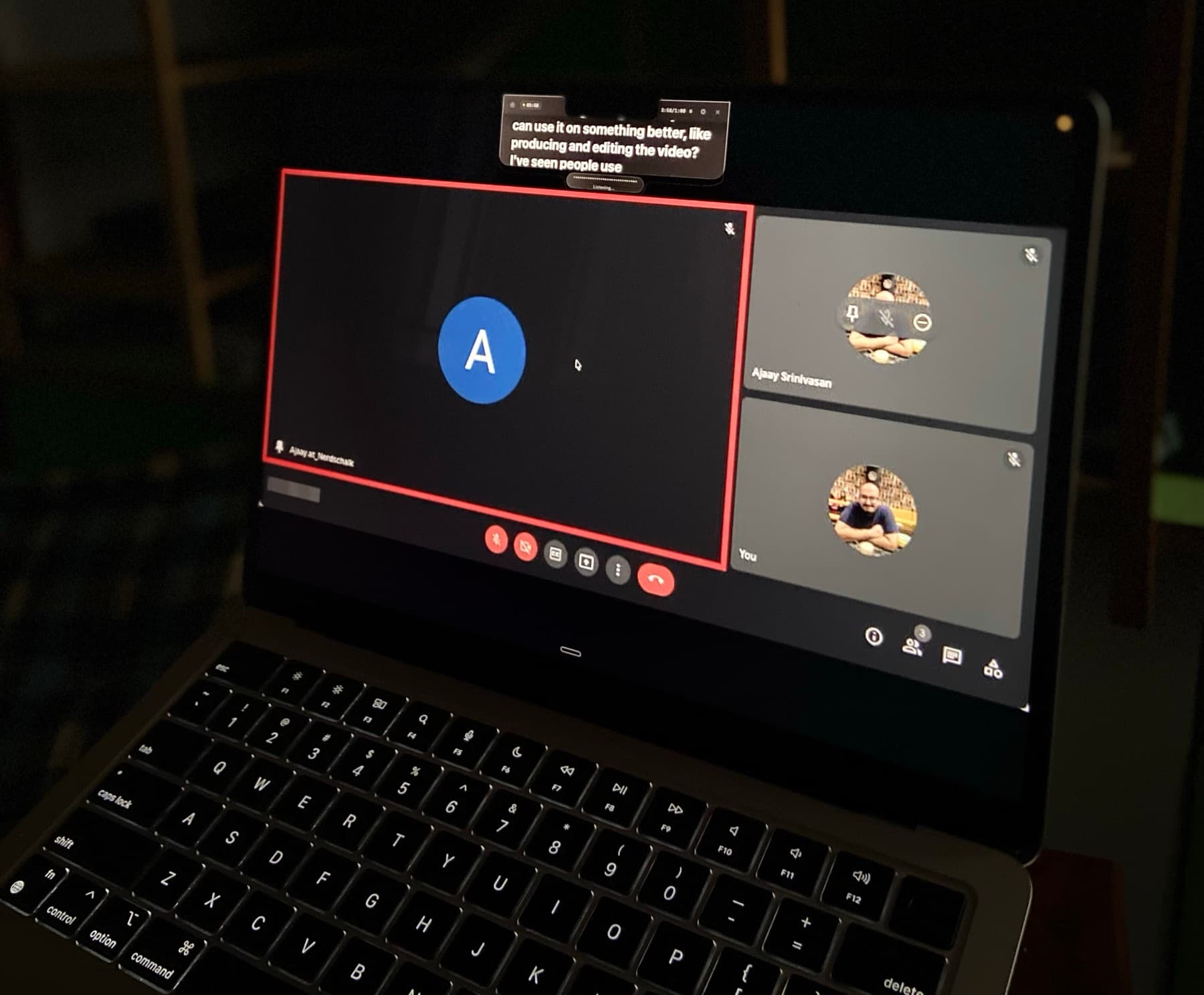
Your script stays close to the camera.Script near camera.

Voice-synced. Hands-free.

Hidden from screen sharing when you need privacy.Hidden in screen shares.

You read naturally. They see eye contact.Eyes stay natural.

Your script stays close to the camera.Script near camera.

Voice-synced. Hands-free.

CueNotchFileEditViewFormatWindow
Sat 5:47 PM
Invisible Teleprompter for Mac

The Teleprompter for Sales Calls That Keeps You on Script and Eye-to-Eye.

Keep the questions, proof points, and objection responses that move a deal forward beside the camera, without losing the prospect's eye line.

★★★★★By far the most polished and feature rich one out there.Eloy K. · Mac App Store

Trusted by more than 1,000 professionals.

Native macOS app macOS 14+

The Teleprompter for Sales Calls That Keeps You on Script and Eye-to-Eye.

Keep the questions, proof points, and objection responses that move a deal forward beside the camera, without losing the prospect's eye line.

Get CueNotch for MacWatch the 40-second demo

★★★★★By far the most polished and feature rich one out there.Eloy K. · Mac App Store

Trusted by more than 1,000 professionals.

Designed for Sales professionals

The right cue at the exact point the conversation needs it.

Sales conversations change direction quickly. A fixed-speed script forces you to choose between following the prospect and following the prompt. CueNotch moves with your voice, waits through questions, and keeps account-specific notes beside the Mac camera. You can reference a proof point or precise pricing explanation while your gaze remains where trust is built.

Read the sales call teleprompter guide
CueNotch private teleprompter running beside the camera on a MacBook
Share the deck, not the notes behind the deck.
  • Run cleaner discovery

    Keep qualification questions, follow-up prompts, and customer language visible without breaking the flow of the conversation.

  • Land proof with precision

    Reference the right customer result, differentiator, or pricing detail without searching through CRM notes on the call.

  • Navigate objections calmly

    Keep approved responses and clarifying questions nearby while still listening closely to what the prospect actually said.

Run cleaner discovery

Keep qualification questions, follow-up prompts, and customer language visible without breaking the flow of the conversation.

Land proof with precision

Reference the right customer result, differentiator, or pricing detail without searching through CRM notes on the call.

Navigate objections calmly

Keep approved responses and clarifying questions nearby while still listening closely to what the prospect actually said.

Ghost Mode

Visible to you. Hidden from everyone else.

Keep your script beside the camera while CueNotch stays out of screen shares and recordings. You keep your notes. They see a clean call.

How Ghost Mode hides a teleprompter during screen sharing
Private during sharingNo window jugglingOne-click Pro mode
Invisible in screen shares
Voice Sync

The script follows your voice, not a fixed timer.

CueNotch learns your pace, listens locally, and moves the script as you speak. Pause to think and it waits with you.

How voice-synced teleprompter scrolling works on Mac
Matches your paceWaits when you pauseProcesses on-device
Listening and matching your pace

Beyond the prompter

From rough notes to a confident take.

Write, rehearse, caption, and memorize without leaving your focused Mac workspace.

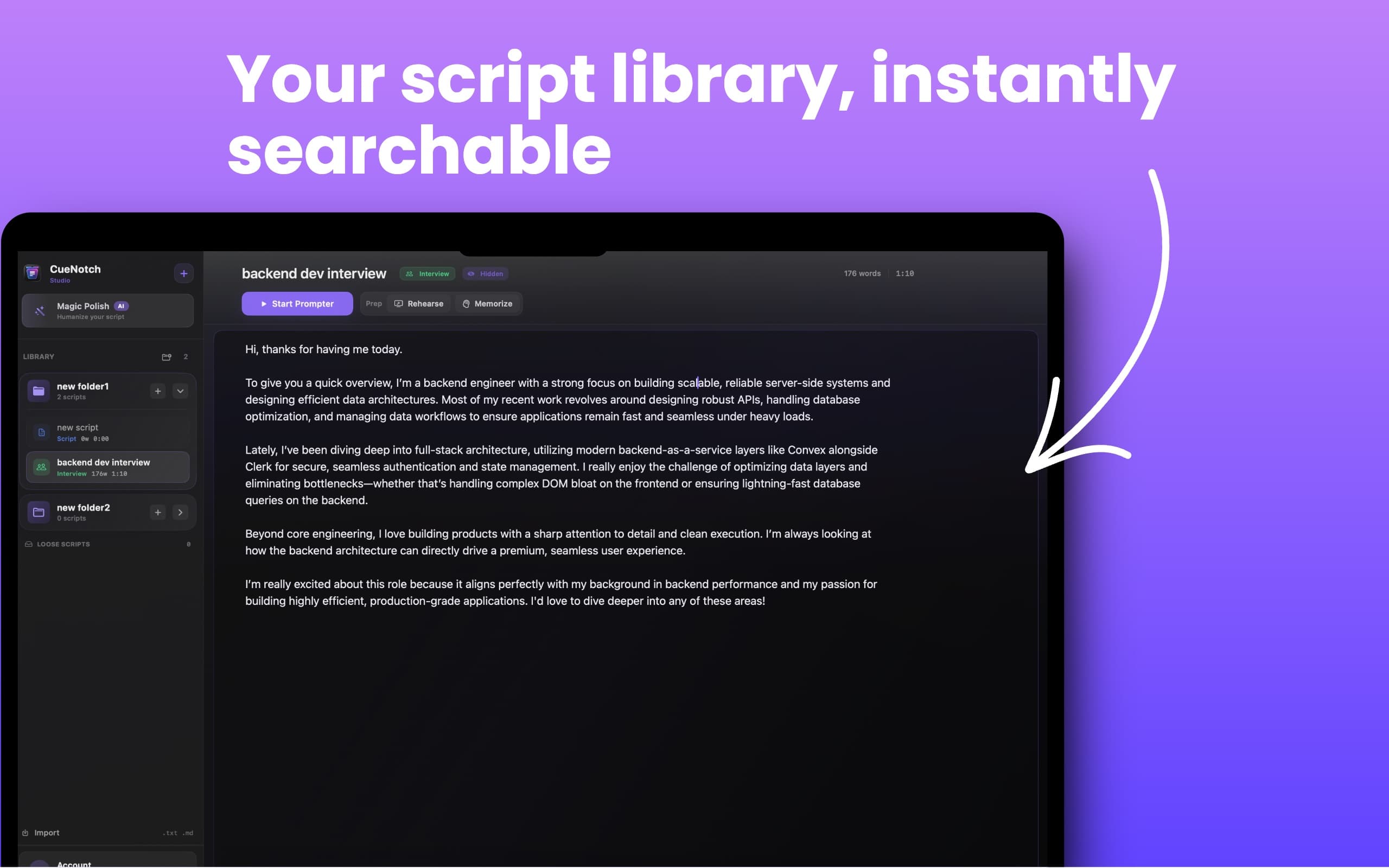
Script library

Searchable script library

Organize scripts in folders, search instantly, and launch the right one without digging through files.
CueNotch script library with searchable folders and a built-in Mac teleprompter editor

More than a prompter

One focused toolkit for every take.

Write, rehearse, caption, and recall without leaving CueNotch.
Script librarySearchable script library
CueNotch script library with searchable folders and a built-in Mac teleprompter editor

Organize scripts in folders, search instantly, and launch the right one without digging through files.

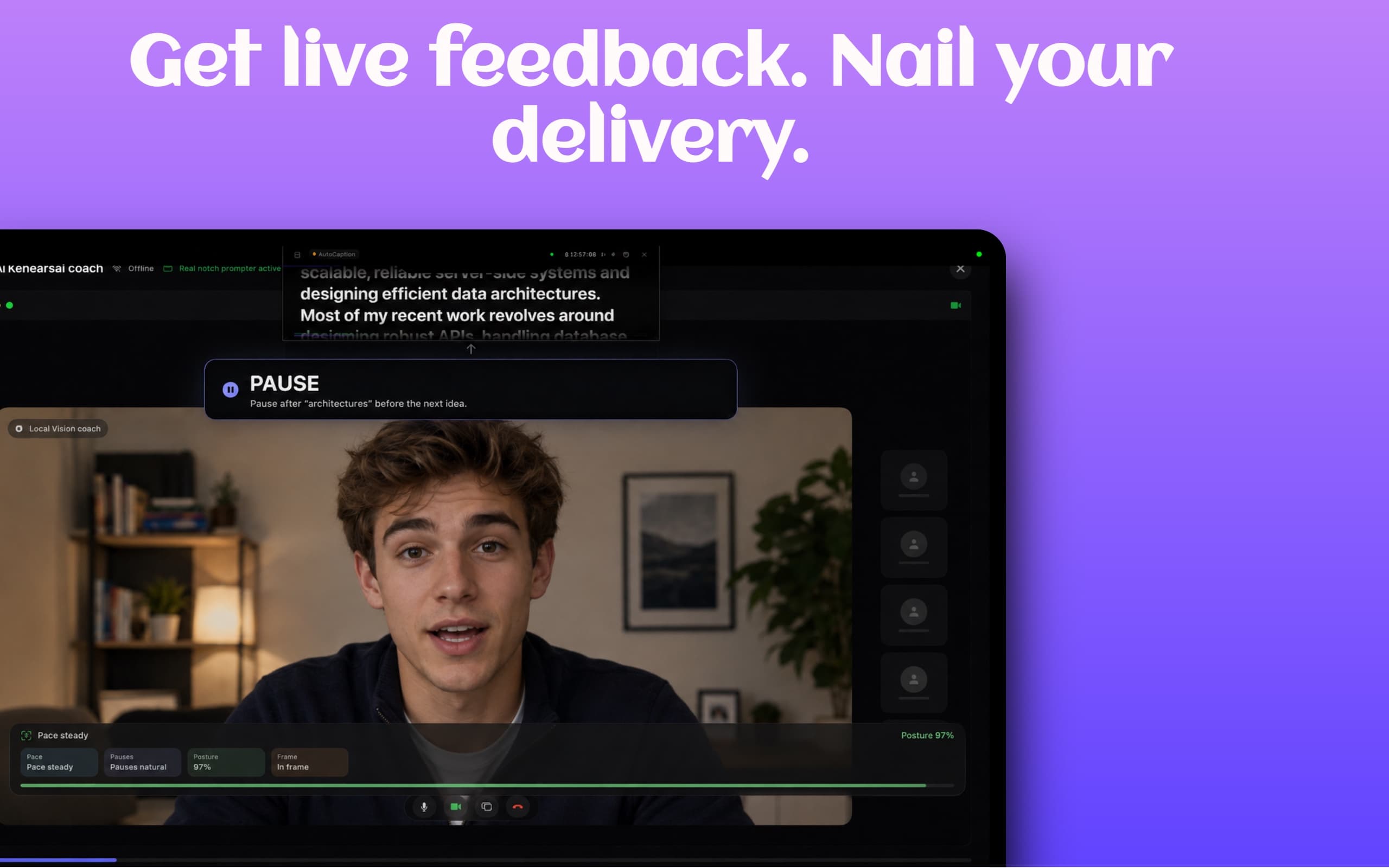
PracticeAI rehearsal coach
CueNotch AI Rehearsal Coach giving live feedback on pace, pauses, posture, and framing

Practice with feedback for pace, pauses, posture, and framing before the call matters.

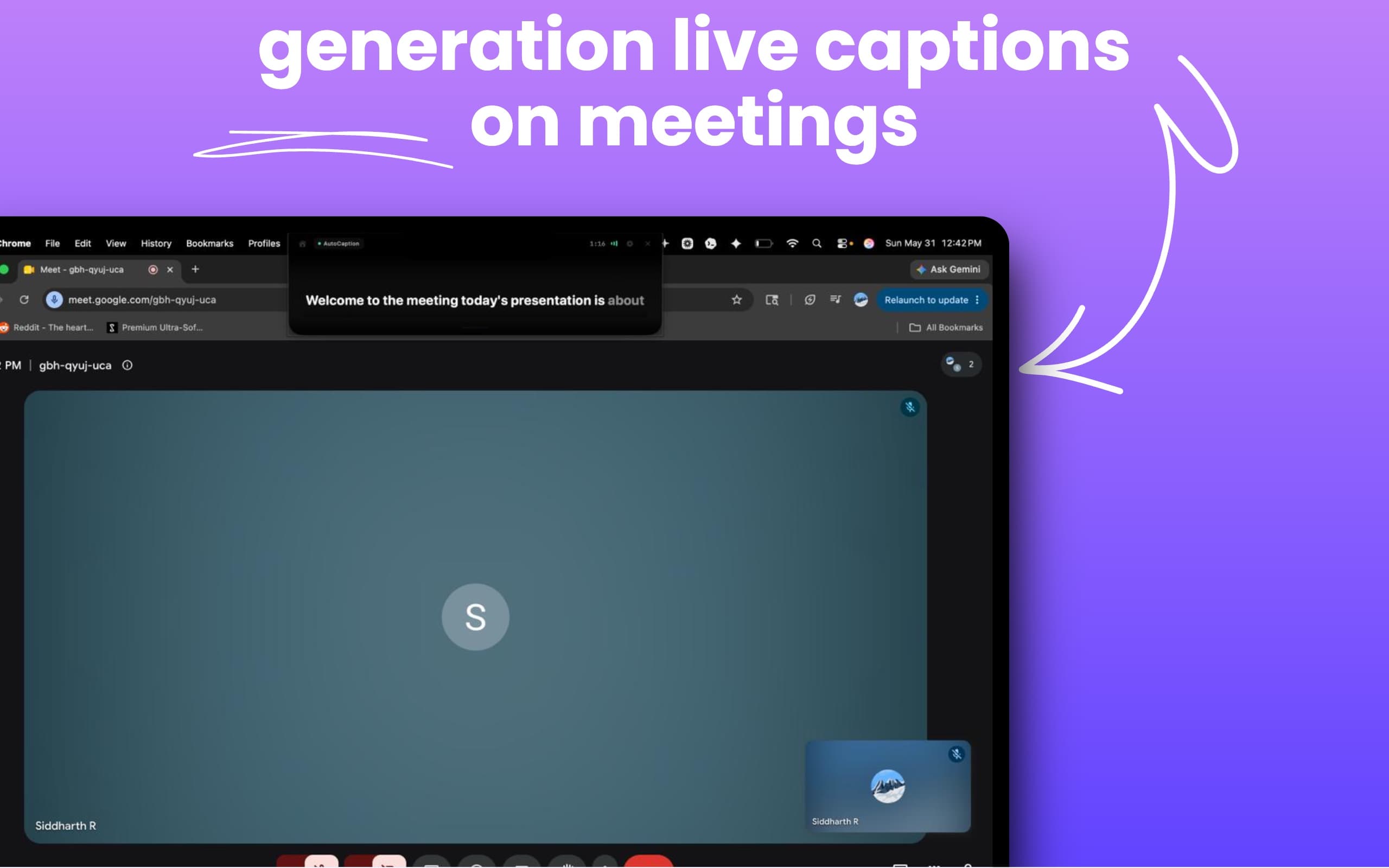
AutoCaptionLive captions
CueNotch AutoCaption generating live captions during a Google Meet meeting on Mac

Turn spoken audio into readable live captions during meetings and presentations.

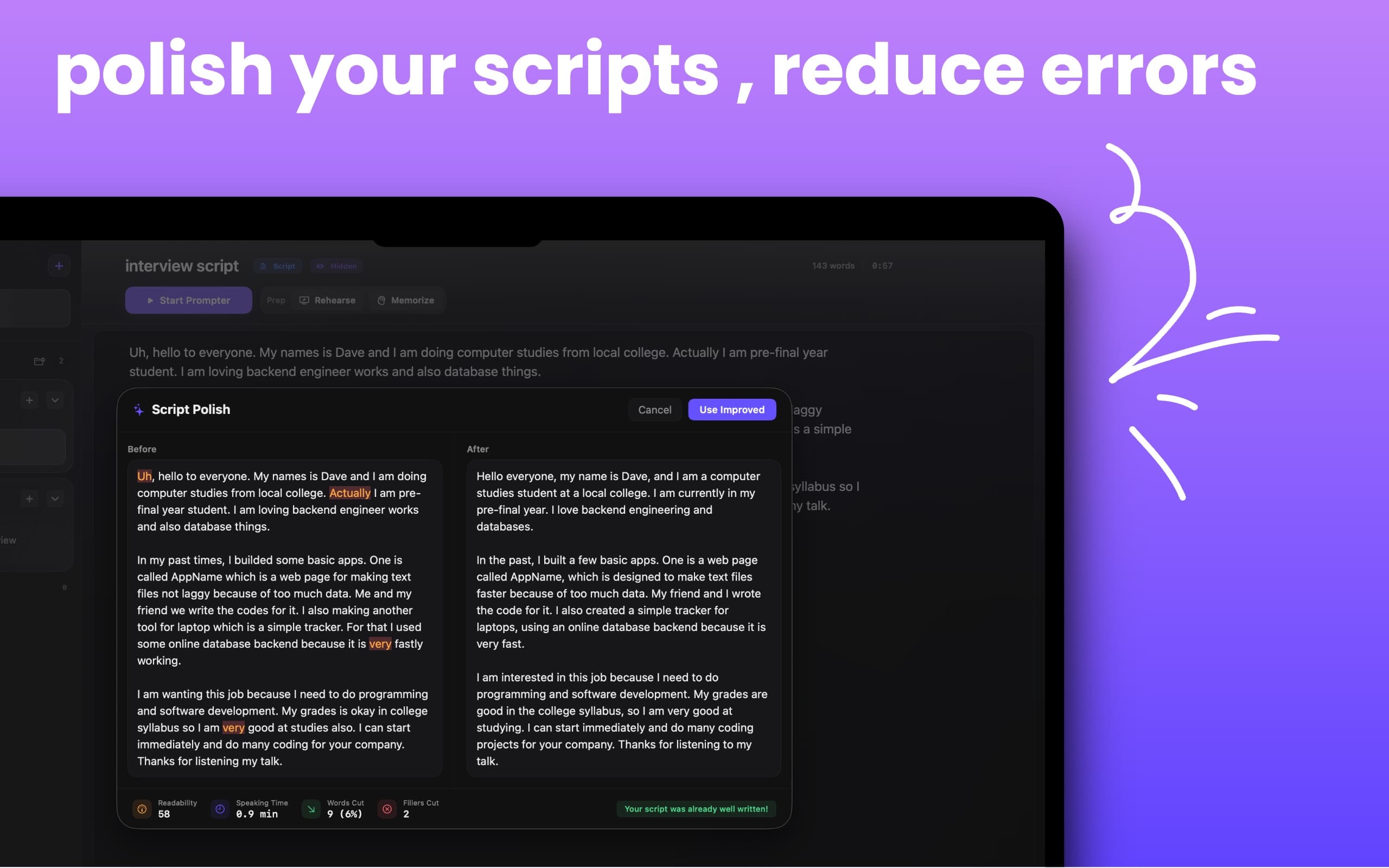
WritingMagic Polish
CueNotch Magic Polish improving a script by reducing fillers and rewriting text for natural speech

Turn rough notes into speakable scripts with cleaner flow and fewer filler words.

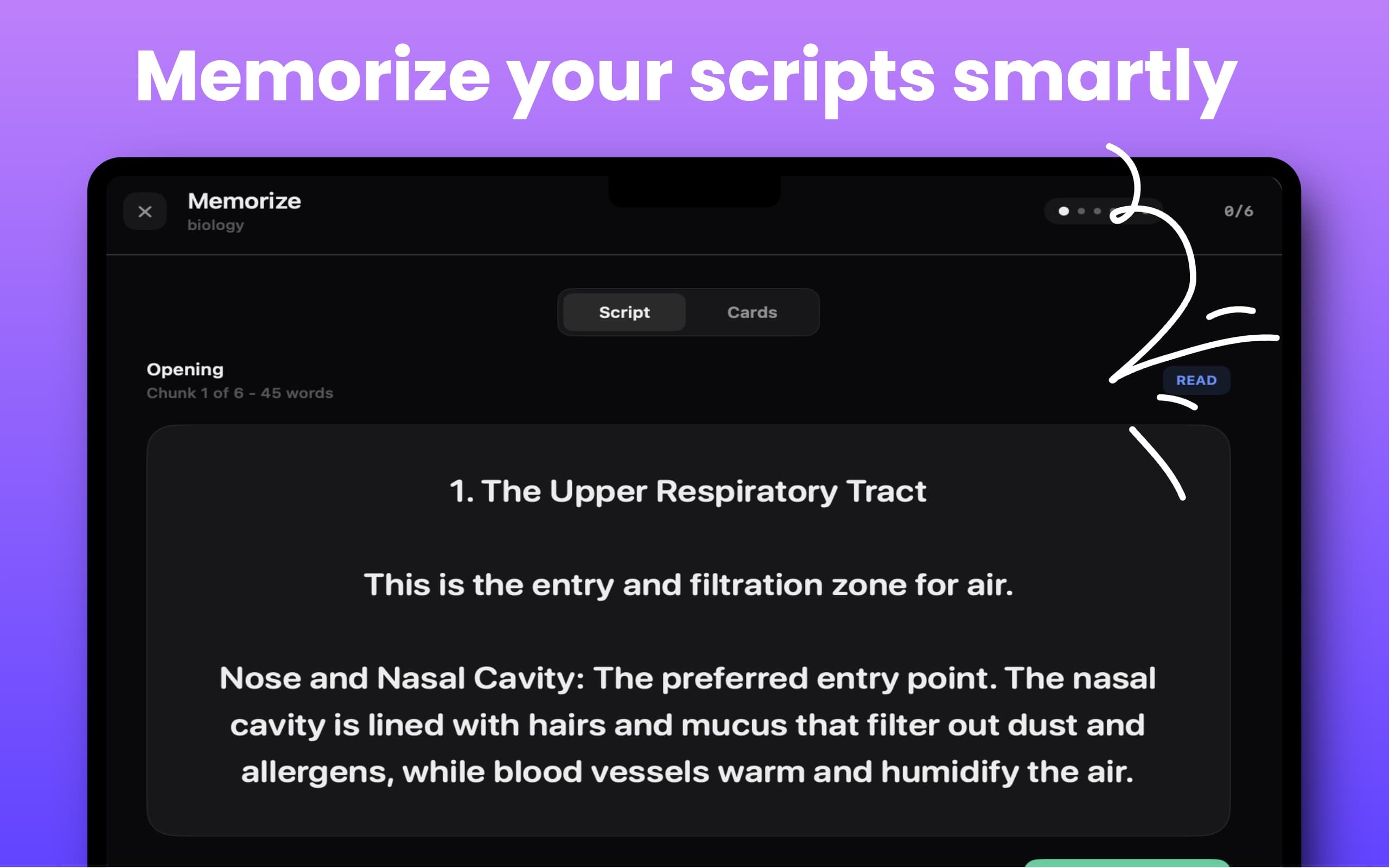
RecallMemorize Mode
CueNotch Memorize Mode showing chunked script practice and cards for memorizing presentations

Break long scripts into chunks and practice recall step by step.

Real workflow

See the eye-contact difference.

Watch CueNotch follow a speaker while the script stays close to the camera.

How to read notes on Zoom without looking away

Trusted when the camera is on.

Four recent App Store reviews from interviews, presentations, teaching, and content creation.

Mac App Store review

Not going back to any other teleprompter app

Jul 22, 2026 / Eloy K.

I tried lots of different teleprompter apps until I discovered this one. It is by far the most polished and feature rich one out there.
Mac App StoreSwitzerland

Mac App Store review

Best Notch Prompter

Jun 1, 2026 / Jakeford95

After my free trial expired, I tried three other notch teleprompters and none came close to this one.
Mac App StoreUnited States

Mac App Store review

Honestly, awesome way to make your life easier

May 22, 2026 / Madlyn K.

It is honestly a game changer. The innovative features make job interviews and presentations so much smoother and less stressful.
Mac App StoreSwitzerland

Mac App Store review

A fantastic tool for teachers and educational content creators

May 6, 2026 / Man.Osm

I use it while preparing lessons and explanations, and it helps me organize my thoughts and deliver content smoothly.
Mac App StoreUnited States

Seen by Mac creators

Reddit r/MacOS
Product Hunt
Perplexity AI #1
507
Upvotes on r/MacOS
129K
Views
123
Comments
#1
Perplexity AI mention

CueNotch Pro

Your Pro toolkit. Your choice.

Try every Pro feature for 3 days. Then choose weekly flexibility or a one-time lifetime purchase.

Weekly$7.99/ weekAuto-renews weekly through Apple
Lifetime$29.99one timeOne payment, continued Pro access
Download and start free trialSame Pro features in both plans. Local App Store pricing may vary.The complimentary 3-day Pro trial is separate and never auto-renews.
Voice-synced scrollingGhost Mode and unlimited scriptsScript library and Magic PolishAI rehearsal feedbackLive captions and Memorize ModePriority support and future updates
Prefer to stay free?Use 3 daily activations, 100-word scripts, voice scrolling, hotkeys, and the editor.
Get the free version

More than a notch teleprompter.

CueNotch combines prompting with writing, rehearsal, captions, and recall tools in one Mac app.

FeatureCueNotchMoodyNotchPrompter
Private during screen sharing
Voice-synced scrolling
Script rewriting
AI rehearsal feedback
Live captions
Memorize Mode
Free version
Price$7.99/weekor $29.99 lifetime$29one timeFreeopen source

Compared with publicly listed features and pricing in July 2026. Compare the best Mac teleprompter apps.

Frequently asked questions

Will a sales teleprompter make me sound scripted?
It can if you read complete paragraphs. CueNotch works best with short questions, proof points, numbers, and transitions that preserve your natural phrasing and leave room for active listening.
Can prospects see CueNotch while I share a demo?
Ghost Mode is designed to keep the CueNotch overlay out of screen shares and recordings while your notes remain visible to you.
Can CueNotch follow an unscripted conversation?
Voice sync does not force a fixed scroll speed. It waits when you pause and follows when you return to your prepared wording, making it suitable for calls that move between discovery and presentation.
What belongs in a sales call prompt?
Include discovery questions, the customer's own language, relevant proof points, important numbers, objection cues, and a specific next-step close. Keep each item short enough to understand at a glance.