The short version
- Put the script beside the webcam, not on a second screen: reading becomes eye contact.
- Voice-synced scrolling follows your pace; fixed-speed prompters fight it.
- Ghost Mode keeps your notes out of every screen share and recording.
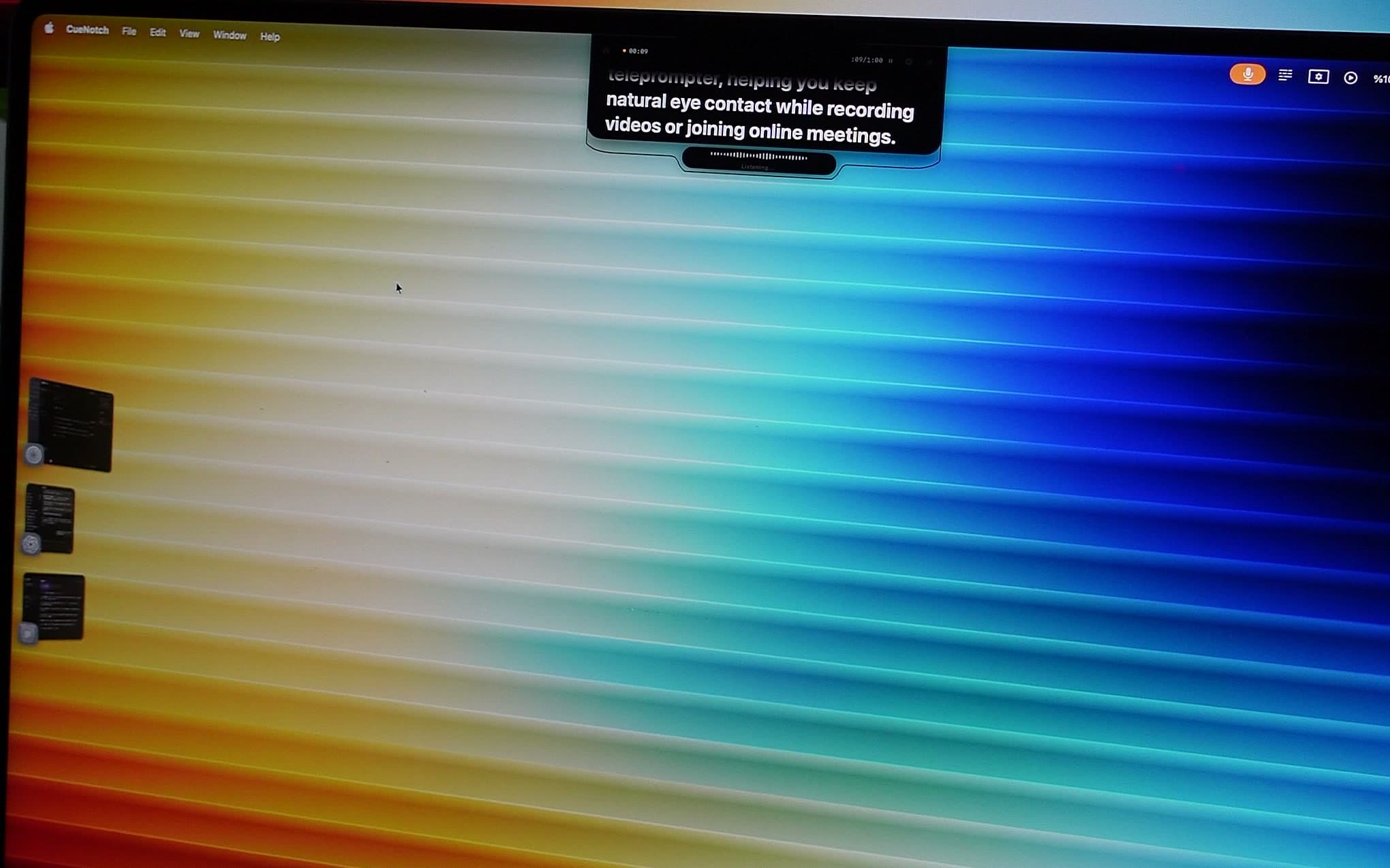
I sat on a call last month with a seasoned account executive who kept glancing at his second monitor every time a price objection came up. His eyes darted to the right, his posture shifted, and the rhythm of the conversation fell apart. The prospect eventually stalled out. He lost the deal not because his pricing was wrong, but because he looked distracted. How do salespeople use teleprompters during video calls to stop this? They stop looking away and start using software that sits right next to the lens.
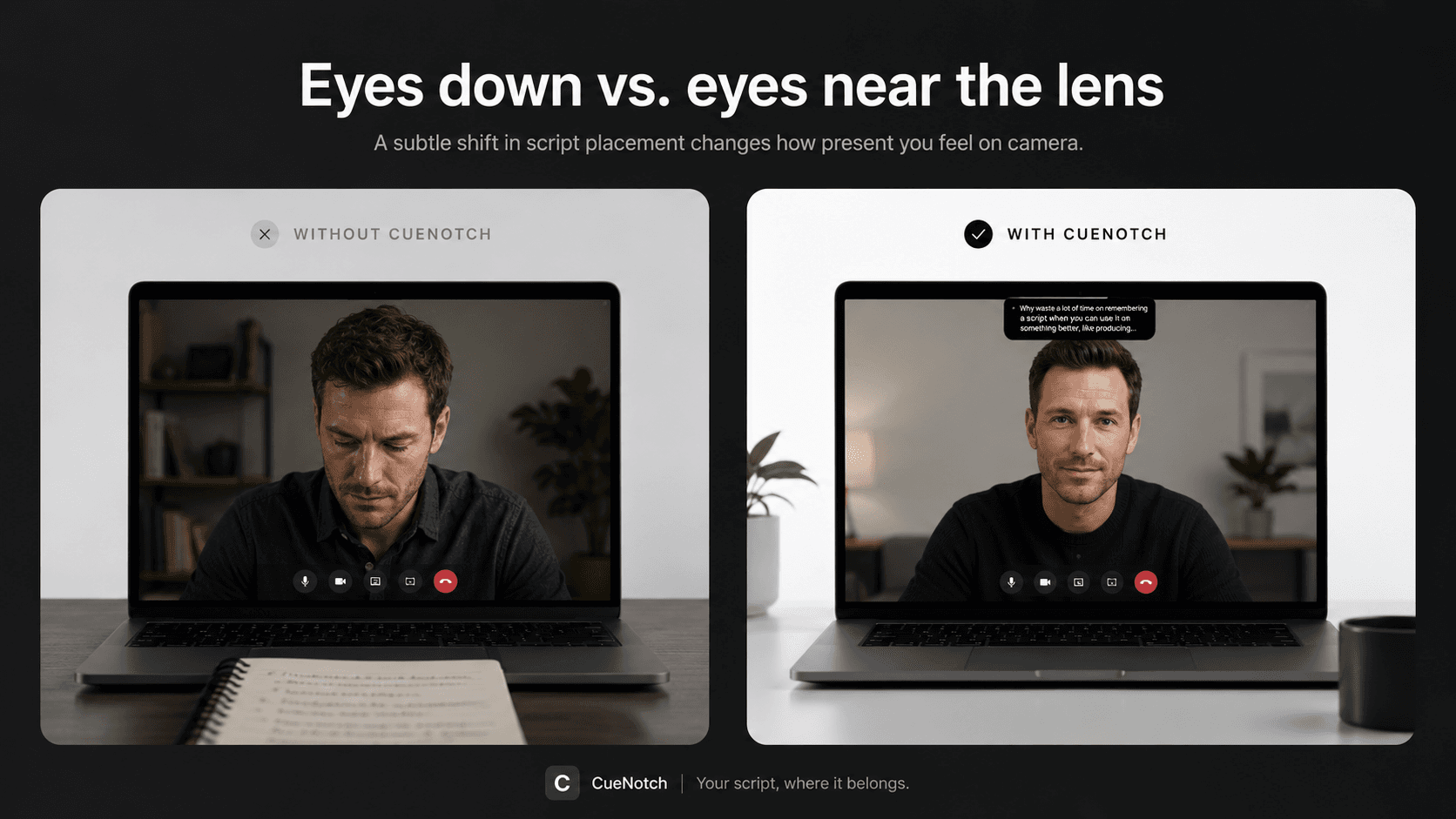
Most modern sales pros are moving away from second monitors and sticky notes. When you have a script for a high-stakes discovery call, you need it as close to the camera lens as possible. This is where a native macOS tool like CueNotch changes the game. By positioning your bullet points within the MacBook notch, you maintain the visual connection that builds trust. It is the closest thing to a natural conversation while having your best lines ready to go.
Sticky notes are costing you revenue
Every salesperson has been there. You have a sticky note on the bezel or a hidden window on your desktop with key objection handlers. When a prospect hits you with a curveball, you look at the note, read the line, and then look back. It takes three seconds, but those seconds are an eternity in a sales cycle. The prospect notices the shift. You look less like a consultant and more like a student reading from a textbook.
Even worse is the cluttered desktop. I have watched reps accidentally share their entire screen when trying to pull up a slide deck, revealing their messy notes, Slack notifications, or private tabs to a prospect. It is a moment of pure friction that shatters your authority. You want your desk to look clean, and your delivery to look unrehearsed. This is why you should use a tool with Ghost Mode, which ensures your script stays visible only to you while remaining invisible to the person on the other end of the screen share.
The problem with manual scrolling
Most entry-level teleprompter apps are essentially static text boxes. You have to use your mouse or a remote clicker to keep up with your own speech. This is a recipe for disaster. If you speed up during a passionate pitch, you lose your place. If you pause to listen to a prospect, the text keeps moving or stays behind.
This is why voice-synced scrolling matters so much. When the software listens to your voice and follows your pace, the friction vanishes. You do not have to think about the tool. You just talk. If you want to dive deeper into how this impacts performance, check out our guide on teleprompters for sales calls. It is not about turning into a robot. It is about removing the technical barrier between you and your prospect so you can focus on the deal.
Disclosures and pricing, word for word
Some lines have to be said the same way on every call: required disclosures, contract terms, the exact price. Under pressure, memory is where those slip. Reading them from beside the lens keeps them exact without dropping your eyes to a document.
Do not automate the rest. Real-time tools that feed reps lines based on prospect sentiment tend to sound forced. Prepare your own talk track, sharpen it in a rehearsal run beforehand, and read only what you wrote.
You want to sound like a person, not a prompt.
Choosing the right tool for macOS
Not all software is created equal. Many browser-based tools bloat your CPU, leading to laggy video or fan noise. On a Mac, you want a native application that sits light on your system resources. If you are presenting to a client, you cannot afford for your computer to stutter while you try to toggle a script window.
When testing software, look for:
- Native integration with macOS: It should not be an Electron-based app.
- Performance: Does it hold up when you are running Zoom, Slack, and Chrome simultaneously?
- Privacy: Does it offer a way to keep notes hidden from screen shares?
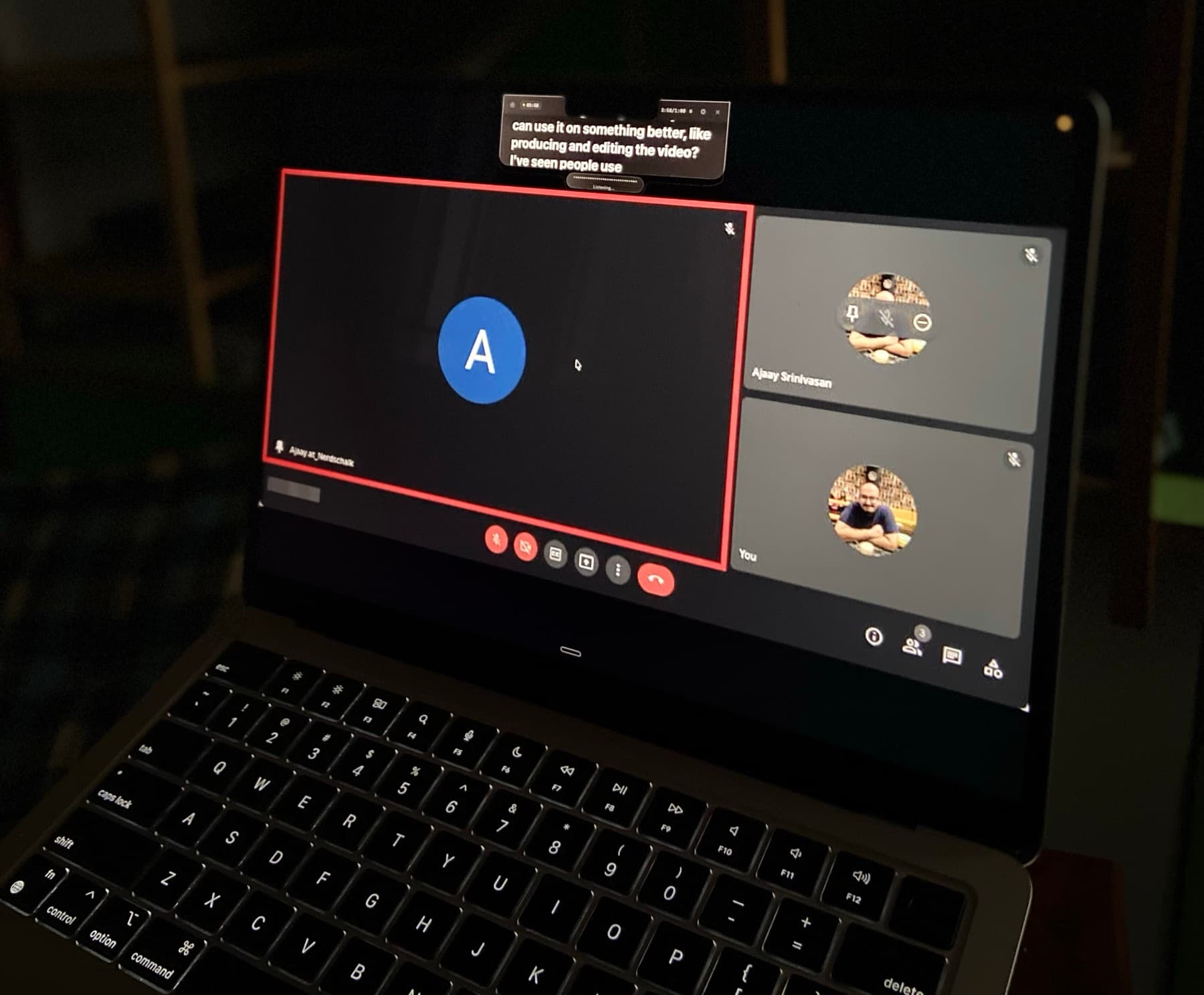
Compare CueNotch against the field. Many competitors make you pay monthly subscriptions for features that should be a one-time purchase. When you spend your day on back-to-back calls, you need a tool that feels invisible and stays reliable. If you want a more detailed look at how to get your environment ready, look at our resource on Zoom interviews. Also, consider if you need live captions displayed alongside your text for accessibility or clarity.
Keep the text sparse
You might worry that using a teleprompter makes calls feel mechanical. I felt that way at first. The trick is to keep your text sparse. Do not paste your entire pitch deck. Use keywords, bullet points, or short phrases that trigger your memory. When you keep the text short, you retain your natural cadence. Treat the software as a visual prompt rather than a script you must read word-for-word. This approach allows you to improvise when the conversation flows in a new direction while keeping you grounded when you get nervous.
The first week
Your first few attempts at using a teleprompter will feel weird. That is normal. Your natural tendency is to read the words exactly as they appear. You need to train yourself to treat the text as a safety net rather than a script. Start by loading only your most critical objection handlers. Practice saying them out loud while looking into the lens.
After a few calls you stop reading and start glancing. Before a call that matters, do one fifteen-minute dry run with a colleague: check that the share stays clean, and set the text size so it reads comfortably from where you sit.
Frequently asked questions
- Why do second monitors hurt sales-call eye contact?
- The notes sit off to the side. Your eyes leave the lens every time you check a price or an objection line. The prospect sees the glance, not the talking point.
- Can I share a product demo and still see my talk track?
- Yes, if the notes are excluded from capture. CueNotch Ghost Mode keeps the overlay off Zoom, Meet, and Teams shares so you can fullscreen a demo on the laptop. Ghost Mode is Pro.
Your best lines, beside the lens.
CueNotch puts your objection handlers and talk tracks in the MacBook notch: free to try, invisible when you share your screen, and priced once instead of monthly.
Try CueNotch free- macOS 14+
- Free tier with 3 activations a day
- Pro from $29.99 lifetime